
Is there anything more frustrating than watching your hard-earned Q4 profits get swallowed whole by unexpected monthly fees? For scaling e-commerce brands, mastering Amazon FBA inventory management isn’t just a logistical chore—it is the literal lifeline of your business. Yet, thousands of merchants fall victim to common Amazon seller mistakes that silently drain their bank accounts every single day.
From the sudden sting of bloated Amazon FBA storage fees to the crushing momentum loss of a critical product going dark, inventory issues can quickly turn a booming storefront into a financial nightmare. If you don’t know how to avoid Amazon stockouts or navigate the maze of unfulfillable units, you are actively leaving money on the table. Worse, dealing with delayed shipments and wrestling with complex Amazon stranded inventory solutions can take you away from what you do best: scaling your brand.
The truth is that relying on guesswork or outdated spreadsheets just won’t cut it anymore in today’s hyper-competitive marketplace. To survive and thrive, you need a bulletproof strategy and the right FBA inventory management software to keep your supply chain lean and profitable.
In this guide, we are breaking down the five most devastating inventory problems facing US sellers right now—and delivering the exact, actionable strategies you need to fix them.
The Cost of Poor Amazon FBA Inventory Management
Mismanaging your supply chain does not just cause logistical headaches; it acts as a direct tax on your bottom line. When your business model relies heavily on a lean fulfillment loop, even a minor mistake can trigger a multi-front financial crisis that erodes your marketplace visibility.
How Mismanaged Capital Triggers Low IPI Scores
Your Inventory Performance Index (IPI) score is Amazon’s internal scorecard for gauging how efficiently you utilize their premium warehouse real estate. Dropping below the critical 400 threshold instantly triggers stringent storage capacity volume limits and a punishing penalty fee structure.
[Excess Stock / Stranded Units] ──> Low Sell-Through ──> Broken IPI Score (Below 400) ──> Severe Storage Restrictions
A tumbling IPI score is almost always a lagging indicator of mismanaged capital—either from over-purchasing slow-moving items or leaving dead listings unaddressed. This operational bottleneck compresses your available warehouse volume, which can easily lead to a lower health rating. Understanding your baseline metrics before implementing advanced Amazon operational analytics ensures you stay ahead of penalties and protect your active profit margins.
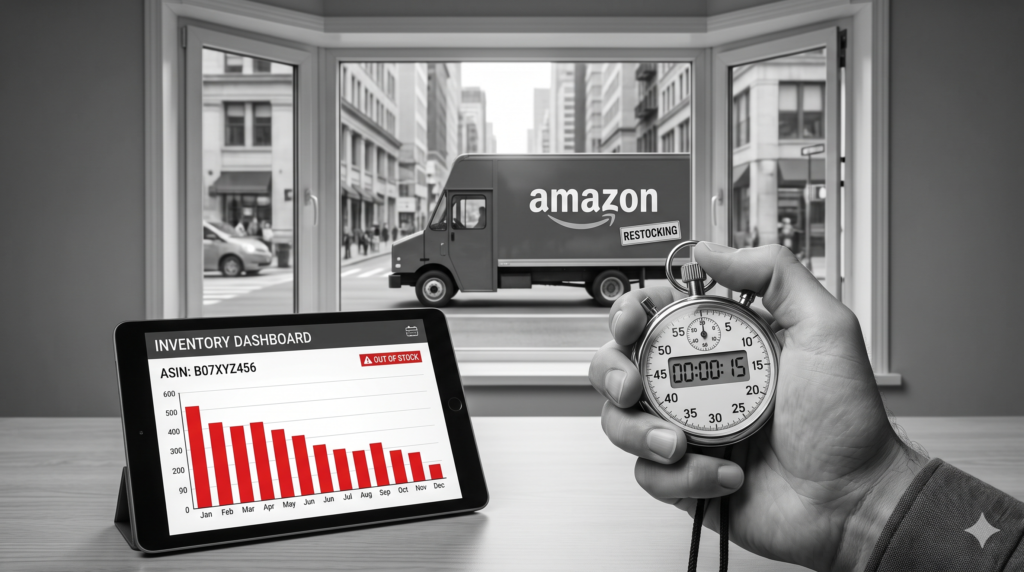
The Ripple Effect: Drop in Best Sellers Rank (BSR)
The damage of poor Amazon FBA inventory management quickly cascades from account metrics to your public customer-facing listings. Amazon’s organic search algorithm heavily rewards continuous, uninterrupted sales velocity.
- Keyword Deprivation: Going out of stock causes your active listings to go dark, signaling to the A10 algorithm that your product can no longer satisfy search intent.
- Competitor Encroachment: While your ASIN sits empty, competing brands capture your traffic, permanently altering your historical click-through and conversion ratios.
- BSR Freefall: A single week of zero sales velocity can cause a product’s Best Sellers Rank to plummet thousands of positions, making post-stockout recovery an incredibly expensive PPC battle.
The True Cost of a Stockout: It takes up to three times more advertising spend to claw back your organic keyword rankings after a stockout than it does to maintain steady inventory levels.
To successfully scale on Amazon or complementary platforms like Etsy, your operations must be driven by data rather than guesswork. To learn how to spot exactly what your competitors are doing right before you plan your next inbound shipment, read our guide on 5 Powerful AI Prompts to Analyse Competitor Products on Etsy and Amazon.
Problem 1: Unchecked Bleeding from Excess Stock & Amazon FBA Storage Fees
Tying up capital in slow-moving pallets is one of the most common Amazon seller mistakes in the book. Many brands mistakenly treat Amazon’s fulfillment centers as long-term storage units, completely overlooking the compounding holding costs that quietly drain monthly payouts.
The Math Behind Capital Drain and Aged Inventory Surcharges
Every square foot of Amazon warehouse space comes at a premium, and the costs climb steeply the longer your products sit unbought. When your baseline sales velocity drops, your profit margins suffer a double hit: frozen cash flow and aggressive monthly holding fees.
- Standard Monthly Fees: Base storage rates shift dynamically throughout the year, nearly tripling during the high-stakes Q4 holiday rush.
- Aged Inventory Surcharges: Once a single unit crosses the 181-day threshold, Amazon tacks on recurring long-term penalty assessments.
Leaving stagnant inventory sitting around flags your account for severe penalties. According to recent Amazon Fulfillment fee metrics and storage updates, long-term storage fees escalate drastically after 181 days, turning what looked like a minor overstock into an aggressive cash drain. If you’re managing multiple slow-moving ASINs without clear data, your overall Amazon FBA inventory management strategy will rapidly collapse under the weight of these penalties.
📘 Want the Complete Shopify SEO System?
This guide covers everything you need to hire a Shopify SEO expert. If you want a complete implementation roadmap—including AI workflows, advanced keyword research, technical SEO checklists, and step-by-step ranking strategies—download The Ultimate Shopify SEO Blueprint for 2026. Download the Blueprint →
Proactive Liquidation: Slashing Carrying Costs Safely
To keep your operations lean, you must learn to cut your losses before automated storage surcharges erase your quarterly margins. True optimization means knowing when to stop hoping for an organic sales spike and start clearing out space immediately.
- Run Aggressive Outlet Deals: Utilize Amazon’s dedicated Outlet program via Seller Central to clear out overstocked units directly to bargain-hunting consumers.
- Deploy Tiered Couponing: Drop your price progressively and back it with a highly visible on-page clip coupon to boost click-through and conversion numbers.
- Initiate Bulk Liquidations: If a listing is completely dead, leverage Amazon’s internal liquidation partners to recover roughly 5-10% of your average selling price rather than paying destruction or removal fees.
Operational Rule of Thumb: If an item’s trailing 30-day sell-through rate drops below 1.5, it is time to pivot from defensive pricing to an aggressive clearance campaign.
To dial in your listing copy and move slow inventory before the 180-day mark hits, you need data-driven listing optimization. Discover how to leverage advanced AI models to revamp your titles, bullet points, and backend search terms by following our blueprint on AI Prompts for Amazon Sellers: 20 Smart Prompts to Dominate Amazon SEO.
Problem 2: Out-of-Stock Cascades & The Race to Avoid Amazon Stockouts
There is a common misconception among newer e-commerce brands that selling out of inventory is a “good problem to have.” In the brick-and-mortar world, a bare shelf means high demand; on Amazon, it is an operational catastrophe that can instantly derail months of hard work and heavy ad spend. When your buy box goes dark, you aren’t just losing daily revenue—you are entering an aggressive downward spiral in marketplace visibility.
Why “Selling Out” Kills Your Organic Keyword Rankings
Amazon’s sophisticated A10 search algorithm cares about one core metric above all else: consistent, predictable sales velocity. The platform makes its money when traffic converts into immediate transactions, meaning the algorithm heavily favors listings with a flawless history of availability.
- The Momentum Freeze: The exact day your stock drops to zero, your active search impressions evaporate. The A10 algorithm systematically replaces your high-ranking ASIN with an in-stock competitor to keep the customer purchase loop uninterrupted.
- The BSR Freefall: Best Sellers Rank (BSR) degrades in real-time. A top-ranking product that undergoes a two-week stockout will often slide from page one to the depths of page three or four.
- The Re-Launch Tax: When your replenishment shipment finally lands at the fulfillment center, you cannot simply turn your organic rankings back on. You are forced to run aggressive PPC campaigns and heavy discounts to re-prove your conversion metrics to the algorithm.
To ensure your listings are built to convert the moment they go live or restock, you must optimize every single line of copy. Discover the exact frameworks for updating your titles and bullets by following our comprehensive guide on AI Prompts for Amazon Sellers: 20 Smart Prompts to Dominate Amazon SEO.
[Stock Hits Zero] ──> Visibility Paused ──> Competitors Take Traffic ──> BSR Plummets ──> Expensive PPC Re-launch Required
Lead-Time Modeling: Factoring in Supplier and Customs Friction
Winning the race to avoid Amazon stockouts requires you to stop guessing your reorder points based on gut feeling. Scaling US brands must implement strict lead-time modeling that factors in every potential bottleneck across the global supply chain.
Total Lead Time = Manufacturing Days + Freight & Customs Clearance + 3PL Prep Window + Amazon Receiving Time
If your overseas manufacturer takes 30 days to produce an order, ocean freight takes 25 days, and customs takes 5 days, your baseline lead time is 60 days. However, you must also account for internal platform friction, including third-party prep windows and the notoriously slow “Send to Amazon” inbound check-in process.
Smart Amazon FBA inventory management dictates that you build a rolling 35-day safety stock buffer directly into your forecasting models. This strategic cushion protects your organic rankings from seasonal freight spikes, factory delays, and unexpected customs audits, keeping your sales flywheel spinning without interruption.
4. Problem 3: The Ghost Inventory Crisis & Amazon Stranded Inventory Solutions
Few things are more disheartening than paying for warehouse space for inventory that customers cannot actually purchase. This phenomenon is known as “ghost inventory”—units that physically sit inside a fulfillment center but are completely detached from an active, buyable listing. Leaving units stranded actively wastes premium capital, hurting both your cash flow and your operational account health.
Root Causes: Listing Suppressions, ASIN Errors, and Hazmat Holds
Before you can deploy targeted Amazon stranded inventory solutions, you must diagnose exactly why your inventory has lost its connection to the storefront. Amazon’s automated compliance and catalog bots can pull down a product overnight without warning, shifting it into limbo.
- Listing Suppressions: These usually occur due to minor image violations, missing backend attributes, or accidental inclusion of forbidden trademarked text.
- ASIN Mismatches: If a backend update accidentally alters your product’s SKU or barcode type (FNSKU vs. UPC), the physical inventory becomes unidentifiable.
- Sudden Hazmat Holds: Amazon frequently flags random products for review based on customer feedback keywords or shifting classification rules, trapping inventory during the review window.
Step-by-Step Recovery Checklist for Reclaiming “Lost” Units
Fixing these errors requires a systematic approach rather than blindly opening Seller Support tickets. Clean up your backend data first to ensure your product pages are fully optimized and compliant with the latest algorithm updates.
- Audit the Stranded Inventory Dashboard: Navigate to your inventory health tab in Seller Central and look for the specific reason code listed next to your broken ASIN.
- Execute the Relist Command: For simple pricing errors or minor systemic glitches, a quick manual update or relisting via the dashboard will push the inventory back to “Fulfillable” status within 15 minutes.
- Run a Flat File Partial Update: If a listing is suppressed due to an attribute error, upload a category-specific inventory file with a “PartialUpdate” command to hard-refresh the backend code.
- Deploy a Reactivation Framework: When a listing is blocked by an automated brand registry or compliance flag, you must submit exact manufacturer invoices or updated packaging images.
Utilizing our step-by-step listing reactivation checklist can instantly unlock your restricted products and restore your sales velocity. To prevent these catalog errors from happening in the first place, your initial backend copy needs to be mathematically precise and algorithm-compliant. See how we built high-converting, policy-safe assets by reading our breakdown: I Tested 21 AI Prompts for Amazon Listings — These 7 Actually Increased Sales.
Pro-Tip: Set up automated email notifications inside your Amazon account alerts so you are notified the exact hour a SKU shifts into a stranded state, minimizing compounding holding costs.
Problem 4: Missing the Mark with Inbound Shipment and Labeling Errors
Even if your manufacturing and marketing channels operate flawlessly, your entire revenue stream can grind to a halt at the warehouse receiving dock. Fulfillment centers are highly automated, scanner-driven ecosystems. A single labeling oversight can immediately reclassify your high-margin cargo as “problem inventory,” burying it in a back-room verification queue for weeks.
FNSKU and Pallet Mistakes That Prompt Warehouse Rejections
With Amazon officially ending its in-house FBA prep and item labeling services in the United States, the full operational burden of compliance shifts completely to your brand or third-party logistics (3PL) provider. Handing off raw manufacturer barcodes without proper prep is an immediate recipe for failure.
- Barcode Bleeding: Applying a new Fulfillment Network Stock Keeping Unit (FNSKU) sticker without fully obscuring the product’s original UPC or EAN barcode confuses automated scanners, triggering system rejections.
- The Curve Trap: Placing scannable labels across structural seams, box edges, or tightly curved packaging wraps stretches the barcode geometry, rendering it unreadable.
- Palletization Violations: Using opaque or black shrink-wrap (Amazon strictly mandates clear wrap), failing to interlock cartons like bricks, or exceeding height limits will cause your Less-Than-Truckload (LTL) carrier to be turned away entirely at the gate.
[Label Printed poorly] ──> Scanner Failure ──> Manual Problem Solve Queue ──> 2-4 Week Check-in Delay ──> Active Stockout
Streamlining the “Send to Amazon” Workflow
To keep your inbound supply chain moving, you must eliminate manual guesswork and standardize your creation protocols inside Seller Central. Every single carton must accurately match its digital manifest before it leaves your shipping dock.
- Invest in Thermal Printers: Never print product or shipment labels using standard consumer inkjet or laser setups. Smudged or low-DPI ink bleeds under industrial transit wear; use a minimum of 203 DPI thermal printing on smudge-proof, white adhesive stock.
- Enforce a Multi-Point Scan Check: Before packing cartons, have your warehouse team test-scan a sample FNSKU using a mobile barcode application to confirm the layout matches the active ASIN data.
- Audit the Inbound Performance Dashboard: Monitor your defect rates weekly. If Amazon flags an unexpected labeling error, avoid clicking “Resolve” automatically—doing so admits fault, impacts your account health, and accepts manual processing fees. Open an investigation case only if you have clear photo documentation of your sealed, compliant boxes.
Ensuring your physical barcodes precisely align with Amazon’s parameters is the only way to safeguard your visibility metrics. If you want to optimize your frontend listings with the same clinical precision before your next batch hits the warehouse, see how we engineered our product layouts by reading our full breakdown: I Tested 21 AI Prompts for Amazon Listings — These 7 Actually Increased Sales.
Problem 5: Relying on Spreadsheet Chaos Instead of FBA Inventory Management Software
Many growing e-commerce brands treat spreadsheets as a badge of honor, but relying on manual data entry is a ticking time bomb for your supply chain. As your product catalog expands, static cells and broken Excel formulas quickly turn into costly ordering mistakes. Moving away from manual tracking isn’t just about saving time—it is about avoiding the human errors that directly trigger stockouts and bloated storage fees.
The Point of Failure in Manual Velocity Tracking
The fundamental flaw of manual spreadsheets is that they look backward, not forward. Trying to manually calculate your monthly sales velocity ignores the real-time marketplace variables that dictate actual demand.
- Static Data Lag: The moment you export your data from Seller Central, it is already obsolete. A sudden weekend sales spike or an aggressive competitor stockout will completely throw off your manual calculations.
- Promo Blindness: Spreadsheets struggle to distinguish between normal organic sales and artificial, ad-driven spikes. If you mistake a short-term promotional lift for baseline demand, you risk over-ordering inventory that will sit stagnant for months.
- Formula Fragility: A single broken link or an incorrect macro across your supply chain tabs can result in ordering hundreds of excess units—or worse, missing a critical reorder deadline entirely.
Automation Features Every Scaling 7-Figure Brand Needs
To run a truly efficient enterprise, you must transition to dedicated FBA inventory management software. Modern software solutions replace manual guesswork with predictive machine learning algorithms that track real-time supply chain metrics.
- Predictive Forecasting: Look for tools that sync directly with your live sales velocity, automatically factoring in seasonal trends, upcoming holidays, and historical lead times.
- Automated Reorder Alerts: Set up smart notifications that tell you exactly when to place a new PO based on current supplier lead times and safety stock buffers.
- Ad-Spend Integration: Your software should communicate with your advertising channels. When inventory levels drop below a certain threshold, the system should signal your team to adjust ad campaigns, protecting your remaining stock.
Synchronizing your inventory levels with active marketing data prevents your top-performing ASINs from going dark. If you want to make sure your advertising engine works hand-in-hand with your supply chain to maximize conversions, check out our breakdown on Powerful Amazon PPC Optimization Strategies That Actually Work in 2026.
The Bottom Line: Robust Amazon FBA inventory management cannot happen in a silo. True scale requires real-time automation that bridges the gap between your marketing budget and warehouse capacity.
FAQs
Q1: What is the minimum inventory level required for Amazon FBA?
Amazon does not enforce a rigid, universal minimum item count to utilize the platform. However, to preserve your buy box presence and optimize delivery speed, Amazon calculates a dynamic “Minimum Inventory Level” for individual SKUs based on your historical demand and lead times. Falling below this threshold flags your product as “low stock” and can penalize your overall visibility.
Q2: How do I fix stranded inventory on Amazon?
To execute effective Amazon stranded inventory solutions, you must identify the precise roadblock—typically a listing mismatch, pricing error, or deletion. Navigate to the Fix Stranded Inventory dashboard inside Seller Central to view the specific “Stranded Reason” column. From there, you can utilize 1-click relisting tools or update your backend pricing parameters to make the product sellable again.
Q3: How does poor Amazon FBA inventory management impact my IPI score?
Your Inventory Performance Index (IPI) score directly tracks your storage efficiency, balancing your sold items against on-hand stock levels. Carrying massive excess inventory, failing to clear out stranded units, or consistently leaving popular items out of stock will compress your IPI ranking.
- Link Placement Blueprint: If your score drops below the platform’s baseline requirement, Amazon restricts your warehouse storage capacity and levies heavy overage surcharges. See our comprehensive guide on How to improve your IPI score to clear space restrictions immediately.
Q4: When does Amazon charge an aged inventory surcharge?
Amazon assesses an aged inventory surcharge on the 15th of every month for any units that have sat inside a fulfilment center for 181 days or longer. This fee structures exponentially higher once items cross the 365-day threshold. Keeping your supply chain lean is crucial to ensure these recurring penalties do not completely erase your product margins.