
Have you ever wondered why two Amazon sellers can offer nearly identical products, yet one stays consistently profitable while the other loses sales to stockouts, excess inventory, and rising storage fees? The answer often comes down to Amazon FBA inventory management. It’s one of the most important factors affecting profitability, Buy Box eligibility, and long-term business growth.
Poor inventory management doesn’t just create operational headaches—it can quickly reduce your margins. Running out of stock can hurt your product rankings, while overstocking ties up cash and increases storage costs. Many sellers also struggle with inaccurate demand forecasting, stranded inventory, and Amazon’s inventory limits, making it harder to scale efficiently. If you’ve been searching for how to manage Amazon FBA inventory without constantly worrying about stock levels, you’re facing a challenge shared by thousands of sellers.
The encouraging news is that most inventory problems are preventable. By using better forecasting methods, monitoring inventory performance metrics, and following proven replenishment strategies, you can reduce unnecessary costs while keeping your best-selling products available. If you’re just getting started, our guide on How to Start Selling on Amazon FBA: A Complete Beginner’s Guide explains the fundamentals you’ll need before optimizing inventory.
In this guide, you’ll learn the 15 most common Amazon FBA inventory problems, why they occur, and the practical solutions experienced sellers use to avoid them. We’ll also reference guidance from Amazon Seller Central’s Inventory Management documentation where appropriate, helping you make smarter inventory decisions that support sustainable growth and stronger profits.
What Is Amazon FBA Inventory Management and Why Does It Matter?
If you’re selling on Amazon, your inventory isn’t just stock sitting in a warehouse—it’s one of the biggest drivers of your revenue, customer satisfaction, and long-term profitability. Amazon FBA inventory management is the process of planning, tracking, replenishing, and optimizing your inventory levels so your products are available when customers are ready to buy—without paying unnecessary storage fees or tying up cash in excess inventory.
Strong Amazon FBA inventory management helps sellers strike the perfect balance between supply and demand. Instead of constantly reacting to stock shortages or excess inventory, you build a predictable system that supports sustainable growth. If you’re new to Fulfillment by Amazon, start by learning [how Amazon FBA works] (Internal Link: Amazon FBA Beginner Guide) before diving into advanced inventory strategies.
Whether you’re managing a handful of SKUs or hundreds of products, mastering inventory management can improve your cash flow, increase your Buy Box eligibility, and protect your account health.
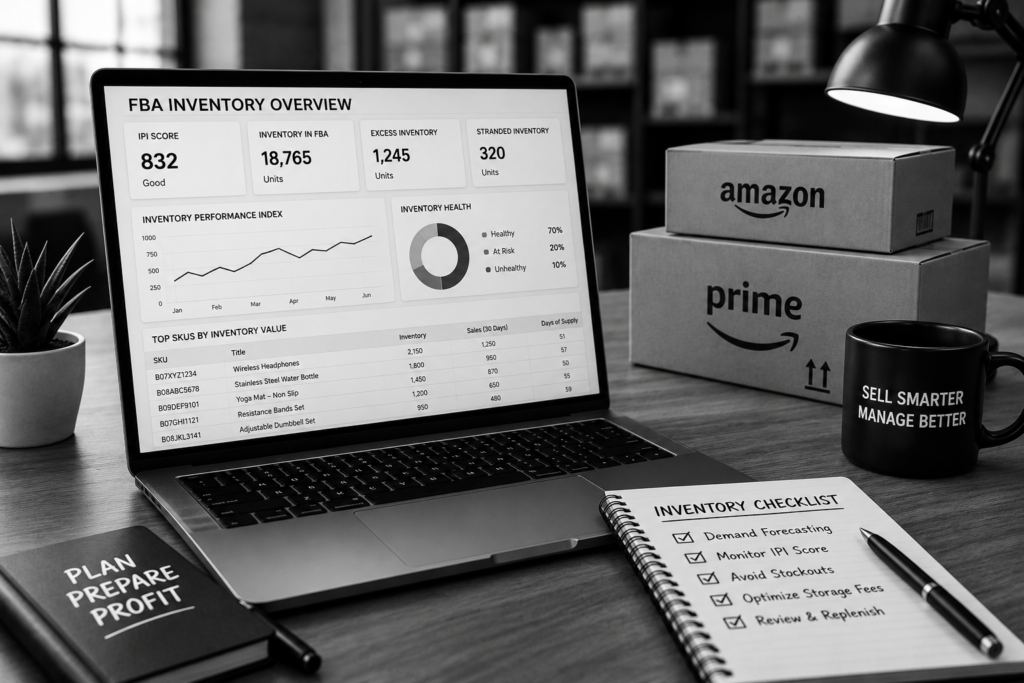
How Amazon FBA Inventory Management Impacts Sales and Profitability
Every inventory decision affects your bottom line. Running out of inventory doesn’t just pause sales—it can lower your product rankings, reduce organic visibility, and give competitors the opportunity to capture your customers. On the other hand, ordering too much inventory locks up working capital and increases storage costs.
Effective Amazon FBA inventory management directly influences several critical business metrics:
- Prevents stockouts that lead to lost revenue.
- Reduces long-term and aged inventory storage fees.
- Improves cash flow by avoiding unnecessary inventory purchases.
- Supports higher Inventory Performance Index (IPI) scores.
- Increases the likelihood of winning and retaining the Buy Box.
- Creates a smoother customer experience with consistent product availability.
Successful sellers also use data-driven forecasting rather than guesswork. By analyzing sales trends, seasonal demand, lead times, and supplier performance, they make smarter purchasing decisions that maximize profit while minimizing risk.
If you’re looking to strengthen your product research before ordering inventory, check out our guide on 5 Powerful AI Prompts to Analyze Competitor Products on Etsy and Amazon, which shows how AI can uncover demand patterns, pricing opportunities, and competitive gaps before you invest in new stock.
The Hidden Cost of Poor Inventory Decisions
Many Amazon sellers believe the biggest challenge is generating more sales. In reality, protecting your profit margins is just as important—and that’s where Amazon FBA inventory management becomes critical. Even a great product can become unprofitable if inventory decisions are based on guesswork instead of reliable data.
Most inventory problems don’t happen overnight. They start with small planning mistakes that gradually affect your cash flow, customer experience, and search visibility. One poor forecasting decision can trigger a chain reaction, leading to stockouts, excess inventory, higher storage fees, and lower profitability.
The Most Expensive Inventory Mistakes Sellers Make
Some of the costliest inventory mistakes include:
- Ignoring seasonal demand and buying trends.
- Reordering inventory too late.
- Overstocking slow-moving or declining products.
- Underestimating supplier production and shipping lead times.
- Failing to monitor Amazon FBA inventory limits.
- Making purchasing decisions without reviewing historical sales and inventory data.
These are among the most common Amazon FBA inventory problems, and they often reduce profits long before sellers realize there’s an issue.
How Small Inventory Mistakes Turn Into Big Losses
Imagine your best-selling product goes out of stock just days before Prime Day or the holiday shopping season. Besides losing immediate sales, your listing may lose ranking momentum, making it harder to recover even after inventory is replenished.
On the other hand, ordering too much inventory can be equally damaging. Slow-moving products occupy valuable warehouse space, increase monthly storage fees, and tie up cash that could be invested in faster-selling inventory or new product launches.
This is why experienced sellers rely on accurate forecasting instead of intuition. If you’re still building your inventory strategy, our guide on Amazon FBA Inventory Forecasting for Beginners explains how to predict demand more accurately and avoid costly purchasing mistakes.
Build a Repeatable Inventory Management System
Learning how to manage Amazon FBA inventory isn’t about reacting to problems after they happen—it’s about preventing them before they affect your business.
An effective inventory management process should include:
- Regular inventory health audits.
- Data-driven demand forecasting.
- Monitoring Inventory Performance Index (IPI) metrics.
- Scheduled replenishment based on real sales trends.
- Supplier lead-time tracking.
- Automated low-stock alerts whenever possible.
Consistently following these practices helps reduce costly mistakes, improves inventory turnover, and supports long-term profitability. Strong Amazon inventory planning for FBA sellers isn’t simply about keeping products in stock—it’s about having the right inventory available at the right time while minimizing unnecessary costs.
The 15 Most Common Amazon FBA Inventory Problems
Successful Amazon sellers know that winning isn’t just about finding the right product—it’s about keeping the right amount of inventory available at the right time. Poor Amazon FBA inventory management can quickly turn a profitable business into one struggling with higher fees, lower rankings, and lost sales. Understanding these common challenges is the first step toward building a more resilient and profitable FBA business.
Stockouts, Overstocking, and Amazon FBA Inventory Limits
Stockouts and overstocking are two sides of the same problem. When you run out of inventory, Amazon may lower your organic rankings, competitors can capture your customers, and your sales momentum becomes difficult to recover. On the other hand, carrying too much inventory ties up cash, increases storage fees, and reduces overall profitability.
Effective Amazon FBA inventory management requires balancing supply with customer demand. That means tracking sales velocity, monitoring seasonal trends, and setting accurate reorder points instead of relying on guesswork.
1. Stockouts That Kill Your Sales Momentum
A stockout doesn’t just mean a temporary loss of sales—it can create long-term consequences.
Common impacts include:
- Lost Buy Box opportunities
- Declining keyword rankings
- Reduced customer trust
- Lower conversion rates after restocking
- Increased advertising costs to regain visibility
To avoid stockouts, monitor your daily sales, supplier lead times, and replenishment schedules. Planning ahead is one of the most effective ways to improve Amazon inventory planning for FBA sellers.
2. Overstocking That Drains Cash Flow
Ordering more inventory than necessary may seem like a safe strategy, but it often creates expensive problems.
Excess inventory can lead to:
- Higher monthly storage fees
- Long-term storage penalties
- Slower inventory turnover
- Reduced cash available for new products
- Increased removal or liquidation costs
The goal isn’t to maximize inventory—it’s to maximize inventory efficiency.
3. Amazon FBA Inventory Limits Restrict Growth
Many sellers are surprised when Amazon limits how much inventory they can send to fulfillment centers. These Amazon FBA inventory limits are based on several performance factors, including your Inventory Performance Index (IPI), historical sales, and storage capacity.
If your IPI score declines because of excess or slow-moving inventory, Amazon may reduce your storage limits even further. Maintaining healthy sell-through rates and removing aging inventory helps preserve your available capacity.
Quick Warning Signs Your Inventory Strategy Needs Improvement
If you notice any of these issues, it’s time to review your inventory process:
- Frequent “Out of Stock” notifications
- Growing storage and fulfillment fees
- Increasing unsold inventory
- Large inventory adjustments
- Declining IPI score
- Cash tied up in slow-moving products
These are among the most common Amazon FBA inventory problems, but they’re also preventable with better forecasting and consistent monitoring.
Stranded Inventory, Suppressed Listings, and Forecasting Errors
Not every inventory problem is caused by poor purchasing decisions. Sometimes your products are physically in Amazon’s warehouses but unavailable for customers to buy. These hidden issues silently reduce sales while many sellers remain unaware.
4. Stranded Inventory That Stops Sales Completely
Stranded inventory occurs when inventory exists inside Amazon fulfillment centers but can’t be purchased because of listing or catalog issues.
Common causes include:
- Missing or incorrect product information
- Listing errors
- Pricing conflicts
- Category approval issues
- SKU or ASIN mismatches
Regularly checking your inventory dashboard helps identify stranded products before they become expensive liabilities.
5. Suppressed Listings Reduce Visibility
Suppressed listings don’t always disappear completely, but they often lose visibility because critical information is missing.
Typical reasons include:
- Missing product images
- Incomplete bullet points
- Incorrect dimensions
- Missing safety or compliance details
- Category-specific attribute errors
Many sellers focus on advertising while ignoring listing quality, one of the most overlooked common Amazon FBA mistakes affecting inventory performance.
6. Poor Demand Forecasting Creates Expensive Mistakes
One of the biggest challenges in Amazon FBA inventory management is predicting future demand accurately.
Forecasting errors often happen when sellers:
- Ignore seasonality
- Depend only on last month’s sales
- Fail to account for promotions
- Forget supplier lead times
- Overestimate demand for new products
If you’re wondering how to manage Amazon FBA inventory more effectively, start by combining historical sales data, market trends, promotional calendars, and supplier timelines instead of relying on intuition.
Best Practices to Reduce Inventory Problems
Build a repeatable inventory process by following these proven habits:
- Review inventory performance every week.
- Forecast demand at least 60–90 days ahead.
- Maintain safety stock for top-selling products.
- Monitor Inventory Performance Index (IPI) regularly.
- Remove slow-moving inventory before long-term storage fees apply.
- Audit listings to prevent suppression and stranded inventory.
- Use automation and AI to improve inventory forecasting and listing optimization.
For even greater efficiency, explore our guide on AI Prompts for Amazon Sellers: 20 Smart Prompts to Dominate Amazon SEO to discover AI-powered workflows that can streamline keyword research, listing optimization, inventory planning, and overall marketplace performance.
Mastering these inventory challenges won’t eliminate every obstacle, but it will significantly reduce costly mistakes. The strongest Amazon businesses don’t simply react to inventory issues—they build systems that prevent them before they happen. That’s the foundation of successful Amazon FBA inventory management and sustainable long-term growth.
How to Manage Amazon FBA Inventory Like a Pro
Successful sellers know that Amazon FBA inventory management isn’t just about keeping products in stock—it’s about having the right inventory available at the right time while minimizing storage costs and maximizing cash flow. A proactive inventory strategy helps you avoid stockouts, reduce long-term storage fees, and maintain a healthy Inventory Performance Index (IPI).
Instead of reacting to inventory issues after they happen, build a repeatable system that combines accurate planning, demand forecasting, and timely replenishment. The result is a more profitable Amazon business with fewer operational headaches.
Amazon Inventory Planning for FBA Sellers
Strong Amazon inventory planning for FBA sellers begins with understanding your sales patterns rather than making educated guesses. Every purchasing decision should be backed by historical sales data, seasonal demand, advertising performance, and supplier lead times.
A professional Amazon FBA inventory management strategy should include:
- Monitor daily, weekly, and monthly sales velocity.
- Calculate average daily unit sales for every SKU.
- Keep a safety stock buffer for unexpected demand spikes.
- Factor in supplier manufacturing and shipping lead times.
- Account for holidays, Prime Day, Black Friday, and Q4 demand.
- Review slow-moving inventory before placing new purchase orders.
Many sellers also underestimate the impact of Amazon FBA inventory limits. Sending too much inventory to fulfillment centers can increase storage costs, while sending too little increases the risk of stockouts. Maintaining the right balance is essential for sustainable growth.
If you’re looking to streamline these processes, explore our guide to inventory management tools for Amazon sellers, where we compare the best software for forecasting, stock tracking, and automated replenishment.
Pro Tip: Create a weekly inventory review routine instead of waiting until inventory levels become critical. Small adjustments each week often prevent expensive problems later.
Demand Forecasting and Inventory Replenishment Strategies
One of the biggest Amazon FBA inventory problems sellers face is inaccurate demand forecasting. Ordering inventory based on intuition instead of data often results in excess stock or empty shelves—both of which hurt profitability.
Professional sellers forecast demand using multiple data sources, including:
- Historical sales trends
- Seasonal buying behavior
- Promotional campaigns
- Advertising performance
- Product launch schedules
- Market trends and competitor activity
Once you understand future demand, establish clear reorder points for every product. A simple replenishment formula should answer three questions:
- How many units do you sell each day?
- How long does your supplier take to deliver?
- How much safety stock should you maintain?
This structured approach makes Amazon FBA inventory management far more predictable and helps reduce emergency shipments that increase logistics costs.
Best Practices for Inventory Replenishment
Follow these proven strategies to improve inventory performance:
- Replenish inventory before reaching critical stock levels.
- Review forecast accuracy every month.
- Adjust inventory after major promotions or holidays.
- Remove aging inventory before long-term storage fees apply.
- Monitor stranded inventory and listing suppressions regularly.
- Use automation wherever possible to reduce manual errors.
Amazon also provides valuable guidance on maintaining healthy inventory levels through Amazon’s inventory performance recommendations. Reviewing these recommendations regularly can improve your Inventory Performance Index (IPI) and help you avoid future storage restrictions.
Finally, don’t overlook automation outside inventory management. Our guide, AI Prompts for Amazon Sellers: 20 Smart Prompts to Dominate Amazon SEO, shows how AI can help optimize listings, analyze product performance, improve keyword research, and support smarter inventory decisions—all of which complement an effective Amazon FBA inventory management strategy.
Key Takeaways
Mastering Amazon FBA inventory management requires consistent planning—not last-minute fixes. By combining accurate forecasting, strategic replenishment, and data-driven decision-making, you’ll minimize common Amazon FBA mistakes, reduce unnecessary storage costs, stay within Amazon FBA inventory limits, and build a scalable inventory system that supports long-term growth.
Common Amazon FBA Mistakes That Hurt Your Business
Even experienced sellers can struggle with Amazon FBA inventory management if they rely on guesswork instead of data. Most costly inventory issues don’t happen overnight—they develop from small mistakes that gradually reduce profit margins, increase storage fees, and damage your seller performance.
Avoiding these common Amazon FBA mistakes can help you maintain healthier cash flow, improve inventory turnover, and keep your products available when customers are ready to buy.
Inventory Planning Mistakes That Increase Storage Fees
One of the biggest Amazon FBA inventory problems is carrying too much inventory for too long. While many sellers focus on preventing stockouts, overstocking can be just as expensive. Amazon charges monthly storage fees, and products that remain in fulfillment centers for extended periods may also incur long-term storage fees.
Poor Amazon inventory planning for FBA sellers often results from inaccurate demand forecasts or ordering inventory based on assumptions rather than historical sales data. As inventory ages, capital becomes tied up in products that aren’t generating revenue.
Here are the most common inventory planning mistakes:
- Ordering large quantities without validating demand.
- Ignoring Inventory Performance Index (IPI) metrics.
- Failing to remove slow-moving or stranded inventory.
- Not reviewing inventory turnover every month.
- Overestimating seasonal sales opportunities.
- Keeping discontinued or low-performing products in FBA warehouses.
To improve Amazon FBA inventory management, establish reorder thresholds, review sales trends weekly, and monitor aging inventory reports. A proactive inventory strategy helps reduce unnecessary storage costs while keeping inventory levels optimized.
Pro Tip: Schedule a monthly inventory audit to identify products that should be discounted, removed, bundled, or restocked before storage fees begin affecting profitability.
Reordering Too Late and Ignoring Seasonal Demand
Running out of inventory is one of the fastest ways to lose momentum on Amazon. When products go out of stock, your listing may lose ranking, Buy Box eligibility, and valuable sales history. Recovering from a stockout often takes weeks—even after inventory returns.
Learning how to manage Amazon FBA inventory means calculating reorder points based on supplier lead times, shipping delays, and average daily sales—not simply waiting until inventory is almost gone.
Common reordering mistakes include:
- Waiting until inventory reaches critically low levels.
- Ignoring supplier production and shipping timelines.
- Forgetting holiday, Prime Day, and Q4 demand spikes.
- Using outdated sales data instead of current trends.
- Failing to create backup inventory plans.
Successful sellers build their purchasing schedules around predictable buying patterns. For example:
| Season | Inventory Planning Strategy |
| Q1 | Reduce excess holiday inventory and analyze sales trends. |
| Q2 | Prepare inventory for summer demand and promotional events. |
| Q3 | Increase purchasing for Prime Day and Back-to-School sales. |
| Q4 | Build inventory early for Black Friday, Cyber Monday, and holiday shopping. |
Modern Amazon FBA inventory management isn’t just about keeping products in stock—it’s about stocking the right quantity at the right time. Using demand forecasting tools, monitoring sales velocity, and reviewing inventory reports regularly will help you avoid costly stockouts while minimizing excess inventory.
If you’re also looking to improve your product listings and conversion rates, read our in-depth guide: I Tested 21 AI Prompts for Amazon Listings — These 7 Actually Increased Sales. Combining stronger listings with smarter inventory planning can significantly improve both visibility and revenue.
Key Takeaway
Most inventory challenges are preventable with disciplined planning. By avoiding these common Amazon FBA mistakes, monitoring Amazon FBA inventory limits, and following a data-driven replenishment strategy, you’ll protect your rankings, reduce unnecessary fees, and build a more profitable Amazon business over the long term.
Best Practices to Optimize Amazon FBA Inventory Management
Mastering Amazon FBA inventory management isn’t just about keeping products in stock—it’s about creating a repeatable system that protects cash flow, minimizes storage costs, and ensures you’re always prepared for customer demand. Whether you’re selling a handful of SKUs or managing a large catalog, the following best practices can help you avoid costly inventory mistakes while building a more scalable Amazon business.
Using Inventory Performance Index (IPI) to Improve Efficiency
Your Inventory Performance Index (IPI) is one of the most important metrics Amazon uses to evaluate how efficiently you manage inventory. A healthy IPI score can increase your storage capacity, reduce restrictions, and make Amazon FBA inventory management significantly easier.
Amazon calculates your IPI based on several performance factors, including:
- Maintaining healthy inventory levels
- Reducing excess inventory
- Preventing stranded inventory
- Improving sell-through rates
- Keeping replenishable products consistently in stock
A low IPI score often leads to stricter Amazon FBA inventory limits, making it difficult to send additional inventory into fulfillment centers during peak selling seasons. That’s why monitoring your score regularly should be part of every seller’s weekly routine.
To improve your IPI score:
- Remove slow-moving inventory before long-term storage fees apply.
- Replenish fast-selling products before they run out.
- Fix stranded listings immediately.
- Use demand forecasting instead of guessing future sales.
- Review excess inventory recommendations inside Seller Central.
For the latest benchmarks and recommendations, review Amazon’s official IPI score guidelines to understand how Amazon evaluates inventory performance and what actions have the greatest impact.
Creating a Long-Term Inventory Management Workflow
Many sellers only think about inventory when they’re about to run out of stock. Unfortunately, reactive inventory decisions often create the very Amazon FBA inventory problems they’re trying to avoid.
Instead, develop a repeatable workflow that supports long-term Amazon FBA inventory management and predictable business growth.
Build a Weekly Inventory Review Process
Set aside time every week to evaluate:
- Current inventory levels
- Sell-through rates
- Inventory aging reports
- Products approaching stockout
- Slow-moving SKUs
- Seasonal demand changes
Consistent monitoring helps you identify issues early before they become expensive problems.
Forecast Demand Using Historical Data
One of the most common Amazon FBA mistakes is relying on intuition instead of data.
Review historical sales, promotions, holidays, advertising campaigns, and seasonal buying patterns when planning future inventory. Better forecasting leads to stronger Amazon inventory planning for FBA sellers, improved cash flow, and fewer emergency shipments.
Establish Smart Reorder Points
Rather than ordering inventory after products begin selling out, calculate reorder points using:
- Average daily sales
- Supplier lead time
- Shipping time
- Safety stock
- Seasonal demand fluctuations
This proactive approach answers one of the biggest questions sellers ask: how to manage Amazon FBA inventory without constantly facing stock shortages.
Automate Repetitive Inventory Tasks
Modern inventory software can automatically:
- Track inventory levels
- Predict future demand
- Generate replenishment alerts
- Identify excess inventory
- Monitor stranded listings
Automation reduces manual errors while making Amazon FBA inventory management more scalable as your catalog grows.
Align Inventory Strategy with Advertising
Inventory planning and advertising should always work together. Scaling PPC campaigns without enough inventory often results in wasted ad spend and lost ranking when products sell out.
For additional optimization strategies, read our guide I Tested 21 AI Prompts for Amazon Listings — These 7 Actually Increased Sales, then continue with our Amazon PPC Strategy Guide to grow your Amazon business profitably by aligning advertising performance with smarter inventory planning.
Key Takeaway
Successful sellers don’t treat inventory as a monthly task—they manage it as an ongoing business system. By improving your IPI score, forecasting demand accurately, automating routine processes, and following a disciplined workflow, you’ll strengthen your Amazon FBA inventory management, avoid unnecessary Amazon FBA inventory limits, reduce costly inventory mistakes, and create a business that’s built for sustainable, long-term growth.
Final Thoughts: Build a Smarter Amazon Inventory Strategy
Mastering Amazon FBA inventory management isn’t about guessing when to reorder products—it’s about making data-driven decisions that protect your cash flow, maximize sales, and keep customers happy. Every successful Amazon seller understands that inventory is one of the biggest profit drivers, and even small improvements can have a significant impact on long-term growth.
If there’s one lesson to take away from this guide, it’s that preventing Amazon FBA inventory problems is far easier—and far less expensive—than fixing them after they occur. By improving your forecasting, monitoring inventory levels consistently, and adapting to changing demand, you’ll be better prepared to handle Amazon FBA inventory limits while maintaining healthy stock levels year-round.
Key Takeaways for Long-Term FBA Success
To build a sustainable and profitable Amazon business, focus on these best practices:
- Treat Amazon FBA inventory management as an ongoing strategy, not a one-time task.
- Create a reliable Amazon inventory planning for FBA sellers process using historical sales data and seasonal trends.
- Review your Inventory Performance Index (IPI) and restock recommendations regularly.
- Set reorder points early to avoid stockouts, lost Buy Box opportunities, and emergency shipping costs.
- Eliminate common Amazon FBA mistakes such as overordering, poor forecasting, and ignoring aging inventory reports.
- Learn how to manage Amazon FBA inventory with automation tools that provide real-time insights and replenishment alerts.
- Audit your inventory performance monthly to identify slow-moving products before they generate excessive storage fees.
- Continuously refine your Amazon FBA inventory management strategy as your catalog, sales volume, and customer demand evolve.
Remember, inventory management doesn’t work in isolation. Once your products stay consistently in stock, the next step is driving qualified traffic and improving conversions. Read our guide on [Powerful Amazon PPC Optimization Strategies That Actually Work in 2026] to learn how to combine smarter advertising with effective Amazon FBA inventory management for stronger rankings, higher sales, and sustainable business growth.
The most successful Amazon sellers aren’t simply the ones with the best products—they’re the ones with the smartest systems. Invest time in planning, monitor your metrics consistently, and keep optimizing your Amazon FBA inventory management process. Those habits will help you reduce costs, improve profitability, and build a resilient FBA business that can scale with confidence.
Frequently Asked Questions (FAQs)
1. What is Amazon FBA inventory management?
Amazon FBA inventory management is the process of planning, tracking, replenishing, and optimizing your inventory stored in Amazon fulfillment centers. Its primary goal is to keep the right amount of inventory available at the right time while minimizing unnecessary storage costs.
Effective Amazon FBA inventory management helps sellers avoid stockouts, reduce excess inventory, improve cash flow, and maintain healthy inventory levels. By balancing customer demand with inventory supply, sellers can increase sales while avoiding costly long-term storage fees and lost revenue.
2. How do I manage Amazon FBA inventory effectively?
The best way to manage Amazon FBA inventory is by combining accurate forecasting with consistent inventory monitoring. Successful sellers rely on data instead of guesswork to determine when and how much inventory to reorder.
Here are a few best practices:
- Forecast demand using historical sales data and seasonal trends.
- Set reorder points before inventory reaches critical levels.
- Monitor inventory health weekly using Amazon’s reporting tools.
- Automate replenishment alerts with the best inventory management software.
- Regularly review slow-moving products and adjust purchasing decisions.
For even better profitability, pair inventory optimization with Powerful Amazon PPC Optimization Strategies That Actually Work in 2026 to improve advertising efficiency while maintaining healthy stock levels.
3. What happens if I exceed Amazon FBA inventory limits?
Amazon assigns storage and replenishment limits based on factors such as your Inventory Performance Index (IPI), historical sales performance, and available warehouse capacity. Exceeding your Amazon FBA inventory limits can prevent you from sending additional inventory until space becomes available.
Potential consequences include:
- Shipment creation restrictions
- Delayed inventory replenishment
- Increased storage utilization
- Reduced flexibility during peak shopping seasons
- Missed sales opportunities due to inventory shortages
To understand current requirements, review Amazon’s inventory limit policy and monitor your IPI score regularly.
4. What are the most common Amazon FBA inventory problems?
Many sellers encounter recurring Amazon FBA inventory problems that reduce profitability and impact customer satisfaction. Most issues can be prevented through proactive planning and regular inventory reviews.
The most common challenges include:
- Running out of stock during high-demand periods
- Overstocking products that sell slowly
- Stranded inventory caused by listing or compliance issues
- Inaccurate demand forecasting
- High long-term storage fees
- Delayed replenishment orders
- Poor inventory planning during seasonal sales events
Recognizing these issues early allows sellers to make smarter purchasing decisions and maintain a healthier inventory cycle.
5. Why is Amazon FBA inventory management important for growing an Amazon business?
Strong Amazon FBA inventory management is one of the biggest drivers of long-term business growth. Maintaining optimal inventory levels ensures customers can always purchase your products while helping Amazon view your account as reliable.
When managed effectively, Amazon FBA inventory management can help you:
- Improve cash flow by avoiding unnecessary inventory costs
- Protect Buy Box eligibility through consistent product availability
- Reduce storage and removal fees
- Increase customer satisfaction with faster order fulfillment
- Scale confidently during Prime Day, Black Friday, and other seasonal events
For sellers focused on sustainable growth, investing time in better inventory planning isn’t just an operational task—it’s a competitive advantage that directly supports higher profits and a stronger Amazon business.
Good information