
Shopify Traffic but No Sales? 15 Reasons & Proven Fixes
Organic traffic feels like a win—until you realize it isn’t turning into revenue. If you’re dealing with shopify traffic but no sales, you’re not alone. Plenty of store owners celebrate climbing Google rankings, only to watch visitors browse a few pages and disappear without adding anything to their cart. It’s frustrating because the hardest part—getting people to your store—seems to be working. So why aren’t those clicks becoming customers?
The answer is rarely a single problem. Maybe your content attracts readers instead of buyers. Maybe your product pages leave questions unanswered, or subtle trust issues make shoppers hesitate at the last second. Many entrepreneurs asking why is my Shopify store not converting spend months chasing more traffic when the real opportunity lies in improving what happens after someone lands on the site. Even small friction points can quietly cost you sales every single day.
By the time you finish reading, you’ll know how to spot the hidden conversion blockers that most store owners overlook, understand why Shopify gets traffic but no sales, and apply practical Shopify conversion optimization tips that encourage more visitors to buy—not just browse. Let’s start by looking at why high Google traffic and strong sales don’t always go hand in hand.
Shopify Traffic but No Sales? Understand What’s Really Happening
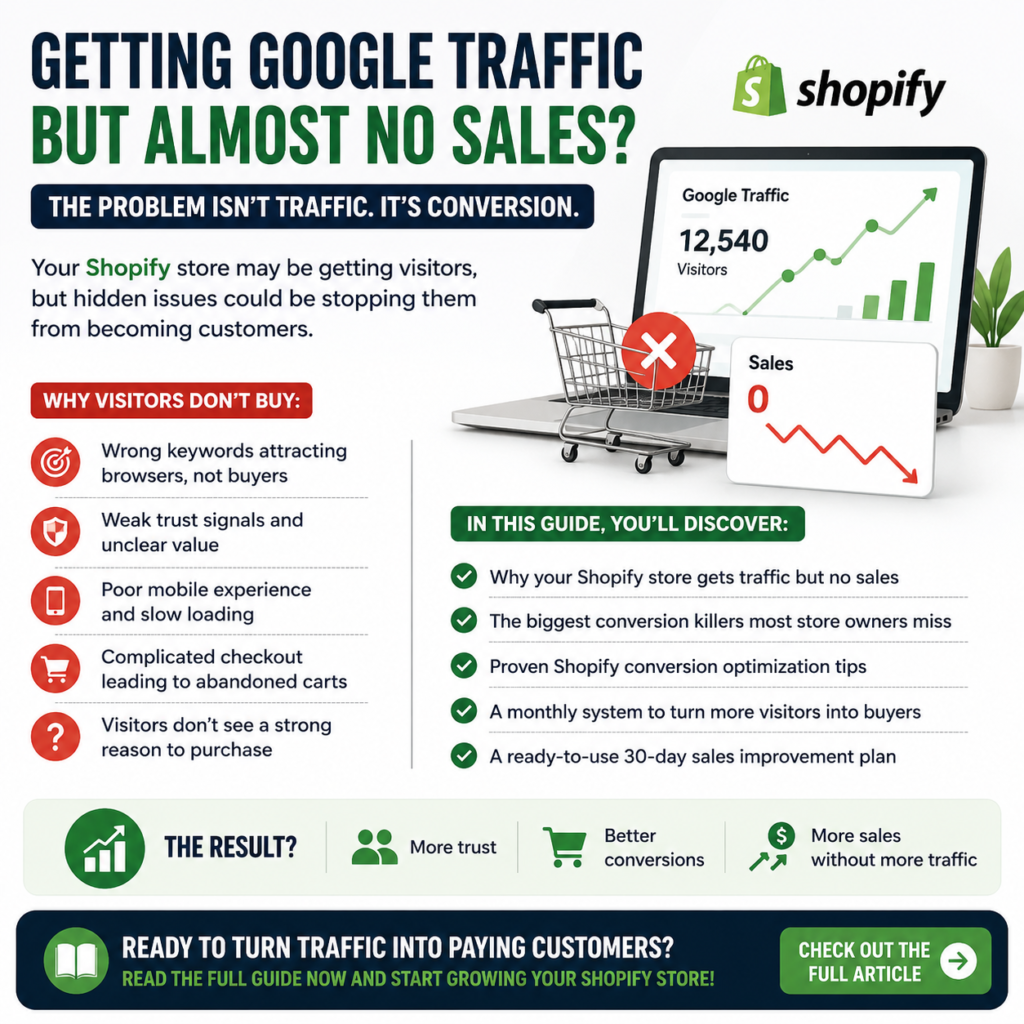
Getting people to your Shopify store through Google is an achievement—but it isn’t the finish line. Many store owners assume that once organic traffic starts growing, sales will naturally follow. In reality, that’s only half of the equation.
If you’re experiencing shopify traffic but no sales, the issue usually isn’t Google. It’s what happens after visitors land on your website. From search intent and product presentation to trust and usability, dozens of small factors influence whether someone becomes a customer or leaves within seconds.
Understanding these factors is the first step toward fixing them.
Why More Traffic Doesn’t Automatically Mean More Revenue
More visitors don’t always mean more buyers because traffic and conversions measure two different things.
Traffic tells you people found your website.
Conversions tell you they trusted it enough to make a purchase.
Imagine two Shopify stores selling reusable water bottles.
- Store A gets 15,000 monthly visitors from blog posts about staying hydrated.
- Store B gets only 3,000 visitors, but most arrive after searching for “buy insulated stainless steel water bottle.”
Despite having far fewer visitors, Store B will often generate significantly more sales because its audience is already looking to buy.
This is why many business owners wonder, “why Shopify gets traffic but no sales?” The answer often lies in the quality of visitors rather than the quantity.
Several factors can create this disconnect:
- Your content ranks for informational searches instead of purchase-focused keywords.
- Visitors don’t immediately understand why your product is worth buying.
- Product pages fail to answer buying questions.
- Pricing or shipping creates hesitation.
- Your checkout process introduces unnecessary friction.
Think of organic traffic as people walking into a retail store. Just because they entered the building doesn’t mean they intend to make a purchase. Some are browsing, some are comparing prices, and others are simply gathering information.
Your job isn’t just to attract visitors—it’s to guide the right visitors toward making a confident buying decision.
If your store is already attracting consistent Google traffic, you’re actually in a strong position. Improving conversions is often faster and more cost-effective than trying to double your traffic.
For a deeper look at attracting higher-quality organic visitors in the first place, our guide on Shopify SEO Expert: Complete Guide to Hiring the Right Expert (+25 Proven SEO Strategies) explains how SEO should align with business goals rather than just rankings.
The Difference Between Search Traffic and Buying Intent
One of the biggest mistakes Shopify beginners make is assuming every Google visitor has the same goal.
They don’t.
Google serves people at every stage of the buying journey.
| Search Stage | Example Search | Purchase Intent |
| Awareness | Best running shoes for flat feet | Low |
| Research | Nike Pegasus vs Brooks Ghost | Medium |
| Decision | Buy Nike Pegasus 41 online | High |
Someone searching for “how to clean leather boots” probably isn’t ready to purchase immediately.
Someone searching for “best price leather boots free shipping” is much closer to buying.
This difference is called search intent, and it’s one of the most important concepts in ecommerce SEO.
When your pages rank primarily for informational searches, you’ll naturally receive visitors who are curious—but not necessarily ready to spend money.
That’s why asking “why is my Shopify store not converting?” requires looking beyond traffic numbers.
Instead, evaluate whether your visitors match your ideal customer profile.
Ask yourself:
- Are my target keywords purchase-focused?
- Does the landing page match what people expected to find?
- Does my product solve the exact problem they searched for?
- Is the next step obvious?
Google’s own guidance on creating helpful, people-first content emphasizes matching content with user needs instead of simply chasing rankings. Keeping that principle in mind helps attract visitors whose expectations align with what your store offers.
Buying intent can also change based on the page someone lands on.
For example:
- A blog article may educate.
- A collection page helps shoppers compare.
- A product page should persuade someone to buy.
Each page has a different purpose, and understanding that journey helps explain why some pages generate revenue while others simply generate traffic.
Early Warning Signs Your Store Has a Conversion Problem
Most conversion issues don’t appear overnight. They leave clues long before sales disappear.
Recognizing those signals early can save months of frustration.
Watch for these common warning signs:
- Organic traffic keeps increasing, but revenue stays flat.
- Product pages receive plenty of views with very few add-to-cart actions.
- Visitors leave within seconds of landing on key pages.
- Cart abandonment remains unusually high.
- Mobile traffic is strong, but mobile sales are weak.
- Customers rarely return for a second purchase.
- Popular products generate clicks but almost no conversions.
Instead of guessing what’s wrong, rely on data.
A simple diagnostic checklist includes:
- Compare traffic sources in Google Analytics 4.
- Review Google Search Console to identify the queries bringing visitors to your site.
- Check which landing pages receive the most entrances.
- Measure your add-to-cart rate, checkout initiation rate, and completed purchases.
- Use heatmaps or session recordings to see where users hesitate or abandon the page.
You don’t need thousands of visitors to identify patterns. Even a few hundred sessions can reveal recurring problems when you know what to look for.
Finally, remember that conversion issues are rarely caused by a single mistake. They’re usually the result of several small friction points working together—misaligned keywords, weak product messaging, missing trust signals, slow-loading pages, or a confusing checkout experience.
The good news is that these issues are measurable and fixable. Once you understand where shoppers lose confidence, you can begin making targeted improvements that increase conversions without relying on more traffic.
Why Shopify Gets Traffic but No Sales: The Most Common Conversion Killers
Getting organic visitors from Google is a major milestone, but it doesn’t guarantee revenue. Many store owners assume traffic and sales move together, yet they’re actually two different metrics. A store can rank well, attract thousands of visitors, and still struggle to generate consistent orders. That’s the reality behind the shopify traffic but no sales problem.
The good news? Most conversion issues are fixable once you identify where the buying journey breaks down. Let’s look at the three most common reasons.
You’re Attracting the Wrong Audience with the Wrong Keywords
Not every Google visitor is ready to buy.
One of the biggest reasons why Shopify gets traffic but no sales is that your content ranks for informational searches instead of commercial ones. Someone searching “how to clean leather boots” has a very different goal than someone searching “buy waterproof leather boots.”
If your product pages or blog posts target the wrong intent, you’ll attract readers—not customers.
Consider this example:
| Search Query | User Intent | Likelihood of Purchasing |
| How to organize a home office | Learning | Low |
| Best home office desk under $300 | Comparing options | Medium |
| Buy adjustable standing desk | Ready to purchase | High |
A common mistake is celebrating traffic growth without asking a more important question:
Are these visitors actually looking to buy?
To evaluate traffic quality, review your Google Search Console and Google Analytics 4 reports. Pay close attention to:
- Search queries bringing visitors to your store
- Landing pages with high impressions but low conversions
- Bounce rate and engagement time
- Geographic location of visitors
- New versus returning users
If your highest-performing keywords are educational, your SEO strategy may be succeeding while your sales strategy struggles.
A balanced keyword strategy should include:
- Informational keywords for attracting new audiences
- Commercial investigation keywords for shoppers comparing products
- Transactional keywords targeting buyers ready to purchase
If you’re still working on improving your rankings, our guide on Why Your Shopify Store Is Not Ranking on Google (Fix Shopify SEO) explains how to build an SEO strategy that attracts more qualified search traffic—not just more visitors.
Product Pages That Answer Questions but Don’t Inspire Purchases
Many product pages provide information but fail to build desire.
Imagine landing on a page with a clear title, several images, and a list of specifications. Everything is technically correct, yet nothing convinces you that this product is worth your money.
That’s where many stores lose potential customers.
People rarely buy because of features alone. They buy because they believe a product will solve a problem or improve their lives.
Compare these examples:
Feature-focused copy
24-ounce insulated stainless steel bottle.
Benefit-focused copy
Keeps drinks cold for up to 24 hours, making long workdays, road trips, and workouts more convenient.
The second version helps shoppers picture themselves using the product.
When evaluating your product pages, ask yourself:
- Does the headline communicate value immediately?
- Are the product images professional and realistic?
- Do descriptions explain benefits instead of listing specifications?
- Are sizing, shipping, and return policies easy to find?
- Does the page answer objections before they become reasons to leave?
Even small improvements can have a measurable impact.
A strong product page should include:
- A benefit-driven product description
- High-quality lifestyle images
- Multiple product angles
- Customer reviews
- Frequently asked questions
- Shipping information
- Return policy
- Clear calls to action
- Related products
Research from the Baymard Institute consistently shows that unclear product information and poor checkout experiences contribute significantly to ecommerce abandonment. Their UX research provides valuable benchmarks for optimizing online stores.
Remember, your goal isn’t simply to inform visitors—it’s to help them feel confident enough to make a purchase.
Trust Gaps That Make Shoppers Leave Without Buying
Sometimes your products aren’t the problem.
Trust is.
Online shoppers make decisions within seconds. If something feels uncertain or inconsistent, they’ll leave without saying why.
This explains why many merchants ask, “Why is my Shopify store not converting?” despite having competitive pricing and quality products.
Common trust gaps include:
- No customer reviews
- Generic product photos
- Missing contact information
- No secure payment badges
- Unclear shipping times
- Hidden return policies
- Poor grammar or spelling
- Slow-loading pages
- Inconsistent branding
Think about your own buying habits.
Would you purchase from a website with no reviews, blurry images, and vague shipping details?
Probably not.
Trust isn’t built through a single feature—it’s created by dozens of small signals working together.
Use this quick trust checklist:
✔ Display verified customer reviews
✔ Show secure checkout badges
✔ Add clear shipping timelines
✔ Make returns easy to understand
✔ Include an About page with your brand story
✔ Provide accessible customer support information
✔ Use original, high-quality product photography
✔ Ensure your site loads quickly on mobile devices
Google also emphasizes page experience and user satisfaction as part of delivering helpful content. Following guidance from Google Search Central can help you create pages that meet both user expectations and search quality standards.
The strongest ecommerce brands don’t ask customers to trust them—they earn that trust at every step of the shopping journey.
AI Prompt: Diagnose Why Your Shopify Store Isn’t Converting
Use the following prompt with ChatGPT, Gemini, or Claude to uncover hidden conversion issues in your Shopify store:
Act as an expert Shopify Conversion Rate Optimization (CRO) consultant and UX auditor. Analyze my Shopify store as if you were reviewing it for a client. Evaluate keyword intent, landing page relevance, product descriptions, pricing presentation, trust signals, mobile usability, page speed, navigation, checkout flow, customer reviews, calls-to-action, and overall buying experience. Identify the top 10 reasons visitors may not be converting into customers. For each issue, explain why it hurts conversions, estimate its impact (high, medium, or low), and provide specific, actionable recommendations prioritized by potential sales improvement. Finish with a 30-day action plan that focuses on quick wins first and long-term optimization second.
🚀 Want to grow your online store with free SEO tips and AI prompts?
Join my FREE WhatsApp Channel and get:
✅ Actionable Shopify, Etsy & Amazon SEO tips
✅ ChatGPT & Gemini prompts for sellers
✅ New blog articles before they’re published on social media
✅ Free checklists, templates, and ecommerce growth strategies
✅ No spam—just practical content that helps you sell more.
📲 Join now: https://whatsapp.com/channel/0029VbDoKhwInlqPaBIkBd3a
Your next sale could start with the next tip you read.
How to Increase Shopify Conversion Rate Without Getting More Traffic
Getting more visitors isn’t always the answer. In fact, many successful Shopify stores increase revenue without adding a single new visitor. They simply make it easier for existing shoppers to become customers.
If you’re dealing with shopify traffic but no sales, your biggest opportunity may already be sitting in your analytics. Instead of spending more time and money attracting additional traffic, focus on improving the experience visitors have after they arrive. Small improvements across your store can compound into a significant increase in conversions.
Optimize Landing Pages to Match Search Intent
One of the biggest reasons why Shopify gets traffic but no sales is a mismatch between what people expect and what they actually find.
Imagine someone searches Google for “best eco-friendly yoga mat.” They expect to land on a page that immediately showcases eco-friendly yoga mats, highlights the materials, explains the benefits, and provides clear buying options. If they’re instead taken to a generic collection page with dozens of unrelated fitness products, they’re likely to leave within seconds.
Every landing page should fulfill the promise made by the search result.
Use this quick checklist to evaluate your landing pages:
- Write a headline that mirrors the visitor’s search intent.
- Clearly explain the product’s primary value within the first screen.
- Include high-quality product images or videos immediately.
- Display pricing, shipping, and return information without forcing users to scroll extensively.
- Add customer reviews and trust badges near purchase decisions.
- Keep primary calls to action visible throughout the page.
It’s also worth reviewing the keywords bringing visitors from Google Search Console. Ask yourself:
- Are these visitors looking to buy?
- Are they comparing products?
- Are they seeking educational information?
If most of your traffic comes from informational searches, your page should naturally guide readers toward a purchase instead of assuming they’re ready to buy immediately.
According to usability research from the Nielsen Norman Group, users decide very quickly whether a page matches their expectations. When expectations aren’t met, bounce rates increase dramatically, regardless of how much traffic the page receives.
Strengthen Product Pages with Persuasive Copy and Visual Proof
A visitor rarely buys because of features alone. They buy because they understand how the product solves a problem.
This is where many store owners asking why is my Shopify store not converting unknowingly lose customers.
Compare these examples:
| Weak Product Copy | Persuasive Product Copy |
| Made from premium cotton. | Soft, breathable cotton that stays comfortable during long workdays and repeated washes. |
| Water-resistant backpack. | Protects your laptop and everyday essentials during unexpected rain without adding extra weight. |
| Handmade candle. | Creates a warm, relaxing atmosphere with a clean burn that lasts up to 50 hours. |
Notice the difference? The stronger version helps shoppers picture themselves using the product.
Visual proof is just as important.
High-converting product pages often include:
- Multiple lifestyle images
- Close-up product photos
- Short demonstration videos
- User-generated customer photos
- Before-and-after comparisons where appropriate
- Product dimensions shown visually
- Zoom functionality
- Frequently asked questions directly on the page
Social proof also reduces hesitation.
Instead of displaying only star ratings, include reviews that answer buying questions such as:
- Was shipping fast?
- Did the product meet expectations?
- Is sizing accurate?
- Is it worth the price?
If you want help creating more persuasive copy, our guide on 19 Best AI Prompts for Shopify Product Descriptions to Increase Sales Fast provides practical prompts you can use to write descriptions that highlight customer benefits instead of simply listing features.
Simplify the Buying Journey from Product to Checkout
Sometimes the product isn’t the problem—the checkout experience is.
Every additional click, form field, or unexpected surprise gives shoppers another reason to abandon their purchase.
Review your buying process from a first-time customer’s perspective.
Ask yourself:
- Can someone easily find the Add to Cart button?
- Is pricing transparent from the beginning?
- Are shipping costs revealed early?
- Can customers check out as guests?
- Does the checkout process work smoothly on mobile devices?
Even minor friction points can reduce conversions.
Common issues include:
- Slow-loading product pages
- Confusing navigation
- Mandatory account creation
- Too many checkout steps
- Hidden shipping costs
- Unclear return policies
- Limited payment options
The Baymard Institute, which conducts extensive ecommerce usability research, consistently finds that complicated checkout experiences remain one of the leading causes of cart abandonment. Simplifying the purchase process often delivers faster results than investing in additional advertising or SEO.
Don’t overlook mobile users, either. More than half of ecommerce traffic now comes from smartphones. A checkout flow that feels effortless on desktop but frustrating on mobile can quietly drain sales every day.
One useful exercise is to complete a purchase on your own store using a mobile device. Time how long it takes, note every point of hesitation, and remove as much friction as possible.
Remember, conversion optimization isn’t about convincing reluctant visitors to buy. It’s about making it easier for interested shoppers to complete the purchase they already wanted to make.
AI Prompt: Improve Your Shopify Product Pages for Higher Conversions
Use the following prompt with ChatGPT, Gemini, Claude, or another AI assistant to identify weaknesses and improve your product pages.
Prompt:
Act as an experienced Shopify conversion rate optimization (CRO) specialist. Review my product page and identify anything that could reduce conversions. Evaluate the headline, product description, benefits, images, trust signals, customer reviews, pricing presentation, calls to action, mobile experience, and checkout flow. Explain why each issue matters, prioritize improvements by potential impact, and rewrite weak sections using persuasive, customer-focused copy. End with a step-by-step action plan that can realistically improve my Shopify conversion rate without increasing website traffic.
Shopify Conversion Optimization Tips That Deliver Consistent Sales
Getting more traffic is expensive. Improving your conversion rate usually isn’t.
If your analytics show shopify traffic but no sales, the issue often isn’t visibility—it’s what happens after someone lands on your store. Small improvements in trust, usability, and measurement can significantly increase the percentage of visitors who become customers.
The following optimization strategies focus on the areas that consistently have the biggest impact on ecommerce conversions.
Use Customer Reviews, Social Proof, and Trust Signals Effectively
Online shoppers can’t pick up your product, ask an employee questions, or compare quality in person. They rely on signals that reduce uncertainty.
Every missing trust signal creates hesitation. Enough hesitation leads to abandoned sessions instead of completed purchases.
Start by strengthening these high-impact elements on every product page:
- Verified customer reviews with photos
- Star ratings displayed near the product title
- Clear shipping and return policies
- Secure payment icons
- Money-back guarantees when appropriate
- Estimated delivery dates
- Frequently asked questions
- Contact information that’s easy to find
For example, compare these two product pages.
| Weak Product Page | High-Converting Product Page |
| One product image | Multiple high-quality images from different angles |
| No reviews | Dozens of verified customer reviews |
| Generic description | Benefit-focused description answering buyer questions |
| Hidden shipping info | Shipping information visible before checkout |
| No trust badges | Secure checkout and payment badges |
The difference isn’t just appearance—it’s confidence.
Another overlooked strategy is using reviews strategically instead of simply displaying them.
Highlight reviews that answer common objections, such as:
- Product quality
- Ease of use
- Fast shipping
- Durability
- Sizing accuracy
- Customer support experience
When shoppers see someone like themselves enjoying the product, uncertainty decreases.
If your descriptions also need improvement, our guide on 19 Best AI Prompts for Shopify Product Descriptions to Increase Sales Fast can help you create persuasive, customer-focused copy that complements your trust-building efforts.
Trust isn’t built through one element. It’s created by dozens of small signals working together.
Improve Mobile Shopping Experience for Better Conversions
More than half of ecommerce traffic now comes from mobile devices, yet many stores are still optimized primarily for desktop users.
That’s one reason many entrepreneurs wonder, “why is my Shopify store not converting?”
A desktop experience that feels acceptable can become frustrating on a phone.
Walk through your own buying journey on a mobile device and ask yourself:
- Can I immediately understand what this product does?
- Is the Add to Cart button easy to find?
- Are images large enough to inspect?
- Is text comfortable to read?
- How many taps does checkout require?
Even small usability issues create friction.
Focus on improvements like these:
- Keep important information above the fold.
- Use large, tappable buttons.
- Compress images without sacrificing quality.
- Reduce pop-ups that interrupt browsing.
- Offer accelerated payment methods such as Shop Pay, Apple Pay, or Google Pay.
- Keep forms as short as possible.
Page speed matters as well.
According to Google’s Core Web Vitals guidance, faster-loading pages improve user experience and can support stronger engagement metrics. A slow product page gives shoppers another reason to leave before they ever consider buying.
Think about it this way:
A visitor searching for a product on Google already has alternatives one tap away. Every extra second of waiting increases the chance they’ll return to search results instead of completing a purchase.
Measure the Metrics That Actually Predict Sales
Many Shopify owners celebrate growing traffic while ignoring the numbers that actually determine revenue.
Traffic is only one piece of the puzzle.
Instead of focusing solely on sessions, monitor metrics that reveal where shoppers lose confidence.
Prioritize these performance indicators:
| Metric | Why It Matters |
| Conversion Rate | Shows how efficiently visitors become customers |
| Add-to-Cart Rate | Indicates whether product pages generate buying interest |
| Checkout Completion Rate | Reveals friction during checkout |
| Cart Abandonment Rate | Identifies lost revenue opportunities |
| Bounce Rate or Engagement Metrics | Helps evaluate landing page relevance |
| Average Order Value | Measures revenue quality, not just sales volume |
| Returning Customer Rate | Indicates long-term customer satisfaction |
For example:
Imagine two stores.
- Store A receives 25,000 monthly visitors and converts at 0.6%.
- Store B receives 8,000 monthly visitors and converts at 3.2%.
Store B often generates more profit despite attracting fewer visitors.
That’s why learning how to increase Shopify conversion rate usually delivers better returns than constantly chasing additional traffic.
Use tools like Google Analytics 4 alongside Shopify Analytics to answer questions such as:
- Which landing pages convert best?
- Which traffic sources bring actual buyers?
- Which products receive views but few purchases?
- Where do customers abandon checkout?
- Which devices have the lowest conversion rate?
Data removes guesswork.
Instead of asking, “Why aren’t sales improving?” you’ll know exactly where the buying journey breaks down.
AI Prompt: Build a Shopify Conversion Optimization Checklist
AI can dramatically reduce the time required to identify conversion issues—as long as you provide the right context.
Use this prompt with ChatGPT, Gemini, or Claude:
Prompt:
“Act as a senior Shopify conversion rate optimization (CRO) consultant. Analyze my online store for potential conversion blockers. Create a prioritized checklist covering product pages, homepage, collection pages, navigation, trust signals, pricing, product descriptions, images, mobile usability, page speed, checkout experience, customer reviews, shipping information, and calls to action. For each issue, explain why it hurts conversions, estimate its potential impact, and recommend practical improvements that are easy to implement. Present the results in a table with columns for Priority, Problem, Recommendation, Expected Impact, and Estimated Implementation Time.”
After reviewing the AI-generated checklist, compare its recommendations with your analytics. If multiple data sources point to the same issue—such as weak product pages or high cart abandonment—you’ve likely found a high-impact opportunity.
The goal isn’t to fix everything at once. It’s to consistently remove the biggest obstacles preventing visitors from becoming customers, one improvement at a time.
Why Is My Shopify Store Not Converting? Mistakes Even Experienced Store Owners Make
Even successful Shopify businesses can hit a plateau where traffic keeps growing, but revenue doesn’t. If you’re wondering, “why is my Shopify store not converting?”, the answer often isn’t a lack of visitors—it’s a series of small mistakes that quietly discourage people from making a purchase.
The challenge is that these issues aren’t always obvious. A store can look professional, rank well on Google, and still lose customers at multiple points in the buying journey. Understanding where those leaks happen is the first step toward fixing them.
Focusing on Traffic Instead of Conversion Quality
Many store owners assume more visitors automatically mean more sales. It’s an understandable belief, but it often leads to the wrong priorities.
Imagine two Shopify stores:
| Store | Monthly Visitors | Conversion Rate | Monthly Orders |
| Store A | 50,000 | 0.4% | 200 |
| Store B | 10,000 | 3% | 300 |
Despite receiving five times less traffic, Store B generates more orders because it attracts people who are ready to buy.
This is one of the biggest reasons behind shopify traffic but no sales. Ranking for broad informational keywords may increase page views, but those visitors are often researching rather than shopping.
Instead of asking:
“How can I get more traffic?”
Start asking:
“Am I attracting the right visitors?”
A few ways to improve traffic quality include:
- Target keywords with stronger purchase intent.
- Align each landing page with the searcher’s expectations.
- Make product pages answer buying questions—not just provide information.
- Eliminate confusing messaging that causes hesitation.
For example, someone searching “best ergonomic office chair for back pain” is much closer to purchasing than someone searching “what causes back pain while sitting.” Both keywords can drive traffic, but their buying intent is completely different.
Before investing more time or money into SEO, evaluate whether your current traffic has genuine commercial intent.
Quick Quality Check
Ask yourself these questions:
- Are visitors landing directly on product pages or mostly on blog posts?
- Which pages generate the highest conversion rates?
- Which keywords lead to actual purchases?
- Are your highest-traffic pages also your highest-revenue pages?
If the answer is “no,” improving traffic quality should become a higher priority than simply increasing visitor numbers.
Ignoring User Behavior Data from GA4, Heatmaps, and Session Recordings
One of the most expensive mistakes store owners make is relying on opinions instead of evidence.
Customers constantly leave clues about what’s preventing them from buying—you simply need the right tools to see them.
Start with Google Analytics 4 (GA4) to understand how people move through your site. Look beyond total traffic and focus on metrics that reveal buying behavior, such as:
- Product page engagement
- Add-to-cart rate
- Checkout abandonment
- Purchase conversion rate
- Traffic sources that generate revenue
Google’s official Google Analytics Help documentation is an excellent resource for understanding these reports and setting up meaningful ecommerce tracking.
Next, use heatmap and session recording tools such as Microsoft Clarity or Hotjar to watch real user interactions.
These tools often reveal surprising problems, including:
- Visitors repeatedly clicking non-clickable images.
- Important buttons buried too far down the page.
- Product descriptions that are rarely read.
- Mobile users struggling with navigation.
- Checkout forms causing frustration.
For example, you might discover that most shoppers stop scrolling before they ever reach customer reviews. In that case, simply moving social proof higher on the page could increase conversions without adding any new traffic.
This type of behavioral analysis is one of the most practical Shopify conversion optimization tips because it replaces guesswork with measurable evidence.
Behavior Data Checklist
Review these areas regularly:
- Bounce rate on key landing pages
- Scroll depth
- Time on product pages
- Exit pages
- Cart abandonment patterns
- Mobile vs. desktop performance
- Returning visitor behavior
The goal isn’t to collect more data—it’s to identify friction points that prevent customers from completing a purchase.
Making Decisions Based on Assumptions Instead of Testing
It’s easy to become emotionally attached to your website design or marketing ideas.
Unfortunately, customers don’t always respond the way we expect.
Changing your headline because you “think it sounds better” or redesigning a product page because it “looks cleaner” can actually reduce sales if those changes aren’t tested.
Instead, build a habit of experimenting.
Simple A/B tests can reveal what truly influences buying decisions.
Consider testing one variable at a time:
- Product page headlines
- Hero images
- Call-to-action button text
- Product pricing presentation
- Free shipping messaging
- Product descriptions
- Customer review placement
- Trust badges
- Checkout button color
- Product video placement
Testing one element at a time makes it much easier to identify what caused a performance change.
Here’s a practical example.
Suppose your “Add to Cart” button currently says:
Add to Cart
You test a more benefit-focused version:
Get Yours Today
After two weeks, the original button produces a 2.1% conversion rate while the new version reaches 2.8%.
That’s a measurable improvement based on customer behavior—not opinion.
Many businesses asking why Shopify gets traffic but no sales discover that a handful of small improvements outperform a complete website redesign.
The most successful ecommerce brands don’t assume—they measure, test, learn, and repeat.
AI Prompt: Audit Your Shopify Store for Hidden Conversion Bottlenecks
Instead of manually reviewing every page, use AI as your first-pass conversion consultant. Copy the prompt below into ChatGPT, Gemini, or Claude, then provide your product page URL or paste the page content.
Prompt:
“Act as a senior Shopify Conversion Rate Optimization (CRO) consultant. Audit my Shopify store from the perspective of a first-time customer. Evaluate search intent alignment, product page clarity, trust signals, pricing presentation, product descriptions, images, calls to action, navigation, mobile usability, page speed concerns, checkout friction, and overall purchase confidence. Identify every conversion bottleneck, explain why it may reduce sales, prioritize issues by potential business impact, and provide specific recommendations with examples for improving conversions. Present the findings in a table with columns for Issue, Why It Matters, Recommended Fix, Priority (High/Medium/Low), and Expected Impact.”
Running an AI-powered audit won’t replace real customer data, but it can quickly uncover overlooked issues before you validate them with analytics and user testing. Combined with GA4 insights and session recordings, it creates a faster, more structured approach to improving conversions and building a store that turns visitors into customers.
Why Is My Shopify Store Not Converting? Mistakes Even Experienced Store Owners Make
Even successful Shopify businesses can hit a plateau where traffic keeps growing, but revenue doesn’t. If you’re wondering, “why is my Shopify store not converting?”, the answer often isn’t a lack of visitors—it’s a series of small mistakes that quietly discourage people from making a purchase.
The challenge is that these issues aren’t always obvious. A store can look professional, rank well on Google, and still lose customers at multiple points in the buying journey. Understanding where those leaks happen is the first step toward fixing them.
Focusing on Traffic Instead of Conversion Quality
Many store owners assume more visitors automatically mean more sales. It’s an understandable belief, but it often leads to the wrong priorities.
Imagine two Shopify stores:
| Store | Monthly Visitors | Conversion Rate | Monthly Orders |
| Store A | 50,000 | 0.4% | 200 |
| Store B | 10,000 | 3% | 300 |
Despite receiving five times less traffic, Store B generates more orders because it attracts people who are ready to buy.
This is one of the biggest reasons behind shopify traffic but no sales. Ranking for broad informational keywords may increase page views, but those visitors are often researching rather than shopping.
Instead of asking:
“How can I get more traffic?”
Start asking:
“Am I attracting the right visitors?”
A few ways to improve traffic quality include:
- Target keywords with stronger purchase intent.
- Align each landing page with the searcher’s expectations.
- Make product pages answer buying questions—not just provide information.
- Eliminate confusing messaging that causes hesitation.
For example, someone searching “best ergonomic office chair for back pain” is much closer to purchasing than someone searching “what causes back pain while sitting.” Both keywords can drive traffic, but their buying intent is completely different.
Before investing more time or money into SEO, evaluate whether your current traffic has genuine commercial intent.
Quick Quality Check
Ask yourself these questions:
- Are visitors landing directly on product pages or mostly on blog posts?
- Which pages generate the highest conversion rates?
- Which keywords lead to actual purchases?
- Are your highest-traffic pages also your highest-revenue pages?
If the answer is “no,” improving traffic quality should become a higher priority than simply increasing visitor numbers.
Ignoring User Behavior Data from GA4, Heatmaps, and Session Recordings
One of the most expensive mistakes store owners make is relying on opinions instead of evidence.
Customers constantly leave clues about what’s preventing them from buying—you simply need the right tools to see them.
Start with Google Analytics 4 (GA4) to understand how people move through your site. Look beyond total traffic and focus on metrics that reveal buying behavior, such as:
- Product page engagement
- Add-to-cart rate
- Checkout abandonment
- Purchase conversion rate
- Traffic sources that generate revenue
Google’s official Google Analytics Help documentation is an excellent resource for understanding these reports and setting up meaningful ecommerce tracking.
Next, use heatmap and session recording tools such as Microsoft Clarity or Hotjar to watch real user interactions.
These tools often reveal surprising problems, including:
- Visitors repeatedly clicking non-clickable images.
- Important buttons buried too far down the page.
- Product descriptions that are rarely read.
- Mobile users struggling with navigation.
- Checkout forms causing frustration.
For example, you might discover that most shoppers stop scrolling before they ever reach customer reviews. In that case, simply moving social proof higher on the page could increase conversions without adding any new traffic.
This type of behavioral analysis is one of the most practical Shopify conversion optimization tips because it replaces guesswork with measurable evidence.
Behavior Data Checklist
Review these areas regularly:
- Bounce rate on key landing pages
- Scroll depth
- Time on product pages
- Exit pages
- Cart abandonment patterns
- Mobile vs. desktop performance
- Returning visitor behavior
The goal isn’t to collect more data—it’s to identify friction points that prevent customers from completing a purchase.
Making Decisions Based on Assumptions Instead of Testing
It’s easy to become emotionally attached to your website design or marketing ideas.
Unfortunately, customers don’t always respond the way we expect.
Changing your headline because you “think it sounds better” or redesigning a product page because it “looks cleaner” can actually reduce sales if those changes aren’t tested.
Instead, build a habit of experimenting.
Simple A/B tests can reveal what truly influences buying decisions.
Consider testing one variable at a time:
- Product page headlines
- Hero images
- Call-to-action button text
- Product pricing presentation
- Free shipping messaging
- Product descriptions
- Customer review placement
- Trust badges
- Checkout button color
- Product video placement
Testing one element at a time makes it much easier to identify what caused a performance change.
Here’s a practical example.
Suppose your “Add to Cart” button currently says:
Add to Cart
You test a more benefit-focused version:
Get Yours Today
After two weeks, the original button produces a 2.1% conversion rate while the new version reaches 2.8%.
That’s a measurable improvement based on customer behavior—not opinion.
Many businesses asking why Shopify gets traffic but no sales discover that a handful of small improvements outperform a complete website redesign.
The most successful ecommerce brands don’t assume—they measure, test, learn, and repeat.
AI Prompt: Audit Your Shopify Store for Hidden Conversion Bottlenecks
Instead of manually reviewing every page, use AI as your first-pass conversion consultant. Copy the prompt below into ChatGPT, Gemini, or Claude, then provide your product page URL or paste the page content.
Prompt:
“Act as a senior Shopify Conversion Rate Optimization (CRO) consultant. Audit my Shopify store from the perspective of a first-time customer. Evaluate search intent alignment, product page clarity, trust signals, pricing presentation, product descriptions, images, calls to action, navigation, mobile usability, page speed concerns, checkout friction, and overall purchase confidence. Identify every conversion bottleneck, explain why it may reduce sales, prioritize issues by potential business impact, and provide specific recommendations with examples for improving conversions. Present the findings in a table with columns for Issue, Why It Matters, Recommended Fix, Priority (High/Medium/Low), and Expected Impact.”
Running an AI-powered audit won’t replace real customer data, but it can quickly uncover overlooked issues before you validate them with analytics and user testing. Combined with GA4 insights and session recordings, it creates a faster, more structured approach to improving conversions and building a store that turns visitors into customers.
Build a Repeatable System That Turns Shopify Traffic but No Sales Into Steady Growth
Create a Monthly Conversion Optimization Routine
Many store owners assume they need more visitors when sales slow down. In reality, if you’re experiencing shopify traffic but no sales, the better investment is often improving how your existing visitors experience your store. A simple monthly optimization routine helps you identify problems before they become expensive and creates steady improvements over time.
Instead of making random changes whenever sales dip, review the same key areas every month.
Monthly Conversion Optimization Checklist
- Review your Google Search Console data to see which keywords are driving traffic and whether they match buyer intent.
- Check your GA4 reports for high-exit pages, bounce rates, and engagement time.
- Identify your top-performing and lowest-converting product pages.
- Read recent customer reviews to uncover recurring questions or objections.
- Test your checkout process on both desktop and mobile devices.
- Update product descriptions, images, and calls to action where needed.
- Compare this month’s conversion rate with the previous month and document what changed.
This routine keeps you focused on measurable improvements instead of guessing why is my Shopify store not converting. Even a small increase in conversion rate can produce significant revenue growth without spending another dollar on advertising.
For example, imagine a store receiving 8,000 organic visitors each month with a 0.8% conversion rate. Raising that rate to 1.4% nearly doubles the number of monthly orders using the same amount of traffic.
The goal isn’t perfection—it’s continuous improvement.
Prioritize High-Impact Fixes Before Chasing More Visitors
Not every optimization deserves equal attention. Some changes produce noticeable gains quickly, while others have little impact on sales.
When Shopify visitors not buying anything becomes a recurring problem, prioritize the areas that directly influence purchasing decisions.
| Priority | High-Impact Improvement | Why It Matters |
| High | Improve product pages | Helps shoppers make confident buying decisions |
| High | Add trust signals and customer reviews | Reduces purchase anxiety |
| High | Speed up mobile pages | Prevents visitors from leaving before browsing |
| High | Simplify checkout | Reduces abandoned carts |
| Medium | Improve navigation | Helps visitors find products faster |
| Medium | Enhance product photography | Builds perceived value |
| Low | Redesign the homepage | Usually has less impact than optimizing product pages |
Whenever possible, work on one improvement at a time.
Changing five different elements simultaneously makes it difficult to determine what actually improved conversions. Instead, adopt a simple testing process:
- Identify one problem.
- Make one meaningful change.
- Measure results for two to four weeks.
- Keep successful changes and move to the next priority.
This disciplined approach is at the heart of effective Shopify conversion optimization tips. Small, evidence-based improvements consistently outperform major redesigns based on assumptions.
Ask yourself a simple question before making any change:
Will this make it easier for a customer to trust me or complete a purchase?
If the answer is no, it probably isn’t your highest priority.
Combine SEO, CRO, and AI for Long-Term Ecommerce Success
Successful Shopify stores don’t treat SEO and conversion optimization as separate projects. They work together.
SEO brings qualified visitors to your store.
Conversion Rate Optimization (CRO) helps those visitors become customers.
Artificial Intelligence speeds up both processes by identifying opportunities and improving content more efficiently.
Think of it like this:
| Strategy | Primary Goal |
| SEO | Attract qualified organic visitors |
| CRO | Convert visitors into buyers |
| AI | Improve efficiency and decision-making |
When these three disciplines work together, growth becomes much more predictable.
For example:
- SEO uncovers a keyword attracting thousands of monthly visitors.
- Analytics reveal that visitors leave the product page after only 20 seconds.
- AI helps rewrite the product description to better address customer questions and highlight benefits.
- Updated images, stronger social proof, and a clearer call to action increase buyer confidence.
- A/B testing confirms the changes improve conversions.
Rather than constantly asking why Shopify gets traffic but no sales, you’ll have a repeatable framework for diagnosing and solving the underlying issues.
AI can also simplify routine optimization tasks such as:
- Rewriting product descriptions
- Creating persuasive benefit-focused bullet points
- Suggesting stronger calls to action
- Summarizing customer reviews to identify common objections
- Generating product FAQ ideas
- Brainstorming A/B testing variations
- Auditing landing page copy for clarity
Remember, AI should support your decision-making—not replace it. The most successful store owners combine AI-generated suggestions with real customer data and ongoing testing.
For trustworthy guidance on improving usability and ecommerce experiences, the Nielsen Norman Group regularly publishes research on user experience best practices, while the Baymard Institute provides extensive studies on checkout optimization and online shopping behavior. Their findings reinforce an important principle: reducing friction throughout the buying journey often has a greater impact on sales than simply increasing traffic.
AI Prompt: Generate a 30-Day Shopify Sales Improvement Action Plan
Use the prompt below with ChatGPT, Gemini, Claude, or another AI assistant to create a personalized action plan based on your store’s current performance.
Prompt:
Act as an expert Shopify Conversion Rate Optimization (CRO) consultant and ecommerce growth strategist. My Shopify store receives organic Google traffic but generates very few sales. Create a detailed 30-day action plan to improve conversions without increasing my advertising budget.
Break the plan into weekly milestones with daily tasks. Include recommendations for keyword intent analysis, product page optimization, trust-building improvements, mobile usability, checkout optimization, customer reviews, pricing presentation, calls to action, GA4 metrics to monitor, A/B testing ideas, and AI-assisted content improvements. Prioritize tasks by expected business impact and explain how to measure success for each recommendation.
Present the output as a practical checklist that a beginner Shopify store owner can follow step by step.
Build a Repeatable System That Turns Shopify Traffic but No Sales Into Steady Growth
Create a Monthly Conversion Optimization Routine
Many store owners assume they need more visitors when sales slow down. In reality, if you’re experiencing shopify traffic but no sales, the better investment is often improving how your existing visitors experience your store. A simple monthly optimization routine helps you identify problems before they become expensive and creates steady improvements over time.
Instead of making random changes whenever sales dip, review the same key areas every month.
Monthly Conversion Optimization Checklist
- Review your Google Search Console data to see which keywords are driving traffic and whether they match buyer intent.
- Check your GA4 reports for high-exit pages, bounce rates, and engagement time.
- Identify your top-performing and lowest-converting product pages.
- Read recent customer reviews to uncover recurring questions or objections.
- Test your checkout process on both desktop and mobile devices.
- Update product descriptions, images, and calls to action where needed.
- Compare this month’s conversion rate with the previous month and document what changed.
This routine keeps you focused on measurable improvements instead of guessing why is my Shopify store not converting. Even a small increase in conversion rate can produce significant revenue growth without spending another dollar on advertising.
For example, imagine a store receiving 8,000 organic visitors each month with a 0.8% conversion rate. Raising that rate to 1.4% nearly doubles the number of monthly orders using the same amount of traffic.
The goal isn’t perfection—it’s continuous improvement.
Prioritize High-Impact Fixes Before Chasing More Visitors
Not every optimization deserves equal attention. Some changes produce noticeable gains quickly, while others have little impact on sales.
When Shopify visitors not buying anything becomes a recurring problem, prioritize the areas that directly influence purchasing decisions.
| Priority | High-Impact Improvement | Why It Matters |
| High | Improve product pages | Helps shoppers make confident buying decisions |
| High | Add trust signals and customer reviews | Reduces purchase anxiety |
| High | Speed up mobile pages | Prevents visitors from leaving before browsing |
| High | Simplify checkout | Reduces abandoned carts |
| Medium | Improve navigation | Helps visitors find products faster |
| Medium | Enhance product photography | Builds perceived value |
| Low | Redesign the homepage | Usually has less impact than optimizing product pages |
Whenever possible, work on one improvement at a time.
Changing five different elements simultaneously makes it difficult to determine what actually improved conversions. Instead, adopt a simple testing process:
- Identify one problem.
- Make one meaningful change.
- Measure results for two to four weeks.
- Keep successful changes and move to the next priority.
This disciplined approach is at the heart of effective Shopify conversion optimization tips. Small, evidence-based improvements consistently outperform major redesigns based on assumptions.
Ask yourself a simple question before making any change:
Will this make it easier for a customer to trust me or complete a purchase?
If the answer is no, it probably isn’t your highest priority.
Combine SEO, CRO, and AI for Long-Term Ecommerce Success
Successful Shopify stores don’t treat SEO and conversion optimization as separate projects. They work together.
SEO brings qualified visitors to your store.
Conversion Rate Optimization (CRO) helps those visitors become customers.
Artificial Intelligence speeds up both processes by identifying opportunities and improving content more efficiently.
Think of it like this:
| Strategy | Primary Goal |
| SEO | Attract qualified organic visitors |
| CRO | Convert visitors into buyers |
| AI | Improve efficiency and decision-making |
When these three disciplines work together, growth becomes much more predictable.
For example:
- SEO uncovers a keyword attracting thousands of monthly visitors.
- Analytics reveal that visitors leave the product page after only 20 seconds.
- AI helps rewrite the product description to better address customer questions and highlight benefits.
- Updated images, stronger social proof, and a clearer call to action increase buyer confidence.
- A/B testing confirms the changes improve conversions.
Rather than constantly asking why Shopify gets traffic but no sales, you’ll have a repeatable framework for diagnosing and solving the underlying issues.
AI can also simplify routine optimization tasks such as:
- Rewriting product descriptions
- Creating persuasive benefit-focused bullet points
- Suggesting stronger calls to action
- Summarizing customer reviews to identify common objections
- Generating product FAQ ideas
- Brainstorming A/B testing variations
- Auditing landing page copy for clarity
Remember, AI should support your decision-making—not replace it. The most successful store owners combine AI-generated suggestions with real customer data and ongoing testing.
For trustworthy guidance on improving usability and ecommerce experiences, the Nielsen Norman Group regularly publishes research on user experience best practices, while the Baymard Institute provides extensive studies on checkout optimization and online shopping behavior. Their findings reinforce an important principle: reducing friction throughout the buying journey often has a greater impact on sales than simply increasing traffic.
AI Prompt: Generate a 30-Day Shopify Sales Improvement Action Plan
Use the prompt below with ChatGPT, Gemini, Claude, or another AI assistant to create a personalized action plan based on your store’s current performance.
Prompt:
Act as an expert Shopify Conversion Rate Optimization (CRO) consultant and ecommerce growth strategist. My Shopify store receives organic Google traffic but generates very few sales. Create a detailed 30-day action plan to improve conversions without increasing my advertising budget.
Break the plan into weekly milestones with daily tasks. Include recommendations for keyword intent analysis, product page optimization, trust-building improvements, mobile usability, checkout optimization, customer reviews, pricing presentation, calls to action, GA4 metrics to monitor, A/B testing ideas, and AI-assisted content improvements. Prioritize tasks by expected business impact and explain how to measure success for each recommendation.
Present the output as a practical checklist that a beginner Shopify store owner can follow step by step.
Conclusion
Getting visitors from Google is a great achievement, but traffic alone doesn’t build a successful ecommerce business. If you’re struggling with shopify traffic but no sales, it’s time to shift your focus from attracting more clicks to converting the visitors you already have. Every product page, call to action, trust signal, and checkout step plays a role in whether someone becomes a customer or leaves your store.
The good news is that most conversion problems are fixable. By understanding why is my Shopify store not converting, improving search intent alignment, and applying proven Shopify conversion optimization tips, you can create a shopping experience that inspires confidence and encourages more purchases. Small, consistent improvements often deliver far better long-term results than chasing endless new traffic.
Remember, sustainable growth comes from combining SEO, conversion rate optimization, and data-driven decision-making. Instead of repeatedly asking why Shopify gets traffic but no sales, start measuring what matters, testing one improvement at a time, and refining your store based on real customer behavior. That’s also the most reliable way to increase Shopify conversion rate and turn organic traffic into consistent revenue.
Now it’s your turn. Choose one area of your store to optimize today, track the results, and keep improving month after month. Your next sale may not come from more visitors—it may come from giving your current visitors a better reason to buy.