
Why Amazon FBA Chrome Extensions Are Essential for Sellers in 2026
Selling on Amazon is more competitive than ever. With millions of active listings and thousands of new products launched every day, making decisions based on guesswork is no longer an option. Successful sellers rely on data, automation, and efficiency—and that’s exactly where Amazon FBA Chrome Extensions make a measurable difference.
Instead of jumping between spreadsheets, Seller Central reports, and third-party dashboards, these browser-based tools deliver valuable insights directly on Amazon product pages. Whether you’re researching a new niche, validating product demand, or analyzing competitors, the right Amazon FBA Chrome Extensions help you work faster while reducing costly mistakes.
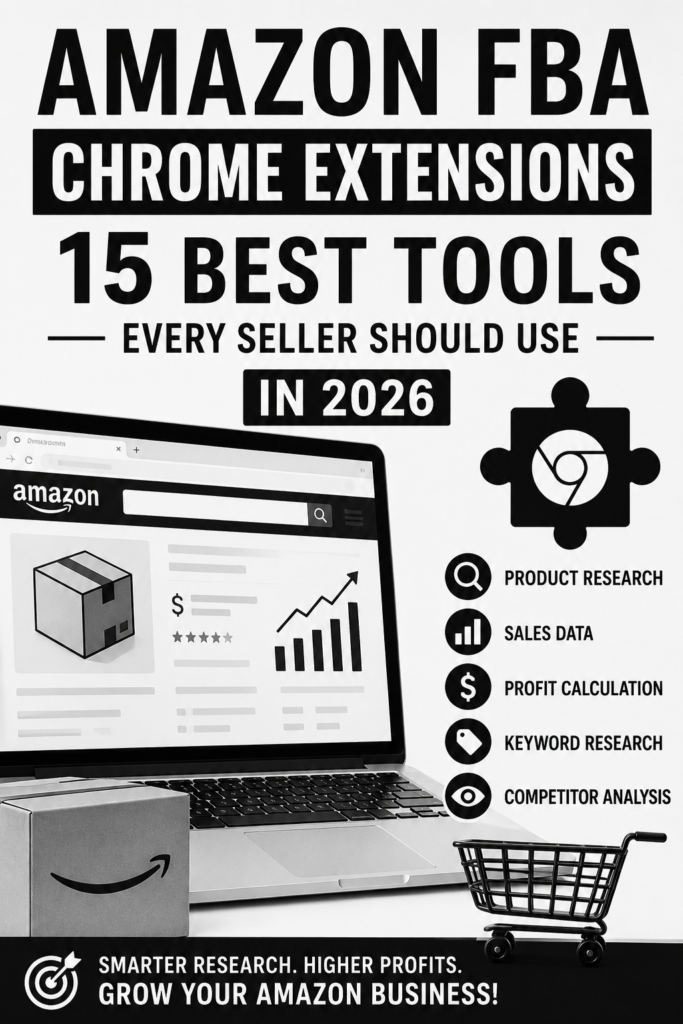
How Amazon FBA Chrome Extensions Save Time and Improve Decision-Making
Every successful Amazon business is built on informed decisions. The challenge is collecting accurate information quickly enough to stay ahead of competitors. High-quality Amazon seller Chrome extensions eliminate much of the manual work by providing instant access to essential metrics.
Here are some of the biggest time-saving advantages:
- View estimated monthly sales without leaving Amazon.
- Analyze keyword demand and search trends in seconds.
- Check historical pricing to identify seasonal patterns.
- Estimate profit margins before sourcing inventory.
- Evaluate competitor performance using real-time marketplace data.
- Compare products across multiple listings without switching tools.
These capabilities allow sellers to focus on strategy rather than repetitive research. Instead of spending hours validating a single product idea, many Amazon product research extensions can deliver the data you need within minutes.
Better research also leads to smarter inventory planning. Before investing in a new product, it’s important to understand not only market demand but also potential stock challenges. For example, poor inventory forecasting can increase storage fees, trigger stockouts, or reduce profitability. These issues are explained in detail in Amazon FBA Inventory Management: 5 Costly Problems and How to Fix Them, which provides additional context for building a more resilient FBA operation.
What to Look for in the Best Amazon FBA Chrome Extensions
Not every browser extension offers the same value. Some specialize in keyword research, while others focus on sourcing opportunities, profitability analysis, or listing optimization. Choosing the best Amazon FBA Chrome extensions depends on your business goals, experience level, and budget.
When evaluating Chrome extensions for Amazon sellers, prioritize tools that offer:
- Accurate sales estimates backed by reliable data models.
- Comprehensive keyword research and search volume insights.
- Historical price and sales trend tracking.
- Profit calculators with FBA fee estimates.
- Competitor analysis and market opportunity scoring.
- Exportable reports for deeper analysis.
- Regular updates to support Amazon’s latest marketplace changes.
- Fast performance with minimal browser impact.
The most effective Amazon FBA seller tools combine several of these features into a single workflow, helping sellers make confident decisions without relying on multiple disconnected platforms. As competition continues to increase throughout 2026, investing in the right Amazon FBA Chrome Extensions isn’t just about saving time—it’s about making smarter, data-driven decisions that support sustainable business growth.
15 Best Amazon FBA Chrome Extensions Compared
The right Amazon FBA Chrome Extensions can dramatically reduce the time it takes to research products, analyze competitors, and optimize listings. Instead of relying on guesswork, today’s sellers use browser-based tools to access valuable insights directly from Amazon search results. Whether you’re just getting started or already running a six-figure FBA business, choosing the right extension depends on your budget, selling strategy, and data requirements.
Below are the top free and premium options that consistently deliver value for Amazon sellers in 2026.
Top Free Amazon Seller Chrome Extensions
If you’re new to FBA or want to minimize expenses, several free Amazon seller Chrome extensions offer useful features without requiring a paid subscription. While they don’t provide the depth of premium platforms, they’re an excellent starting point.
Some of the best free options include:
- Keepa – Tracks historical price changes, Buy Box trends, and sales rank history, making it one of the most trusted Amazon product research extensions.
- DS Amazon Quick View – Displays product information such as Best Seller Rank (BSR), ASIN, and category data directly in Amazon search results.
- AMZ Seller Browser – Adds quick-access product metrics that help sellers evaluate opportunities more efficiently.
- Fakespot – Analyzes customer reviews to identify suspicious or manipulated ratings before you source a product.
These tools are especially useful for validating product ideas before investing in inventory. However, free extensions generally lack advanced sales estimates, profitability calculators, and keyword databases found in premium Amazon FBA seller tools.
If you’re researching products for long-term growth, inventory planning should be part of the evaluation process. Poor forecasting can lead to stockouts, excess storage fees, or stranded inventory. Our guide on Amazon FBA Inventory Management: 15 Inventory Problems Every Seller Faces (And How to Fix Them) explains the most common inventory mistakes and practical ways to avoid them as your catalog grows.
Best Premium Amazon FBA Seller Tools Worth Paying For
As your business scales, premium Amazon FBA Chrome Extensions become a worthwhile investment because they combine product research, keyword analysis, profitability calculations, and competitor tracking into a single workflow.
Some of the most trusted premium solutions include:
- Helium 10 – Comprehensive research suite with keyword tracking, listing optimization, inventory insights, and advanced analytics.
- Jungle Scout – Excellent for product validation, sales estimation, supplier research, and opportunity scoring.
- DataDive – Focuses on keyword intelligence and listing optimization for experienced sellers looking to improve organic rankings.
- SellerSprite – Offers detailed keyword research, competitor monitoring, and market trend analysis across multiple Amazon marketplaces.
- AMZScout – Provides reliable product research, demand analysis, and profit estimation with a beginner-friendly interface.
The biggest advantage of premium Chrome extensions for Amazon sellers is data accuracy and workflow efficiency. Instead of switching between multiple spreadsheets and websites, these tools centralize critical metrics that help you make faster, more confident decisions.
Ultimately, the best Amazon FBA Chrome extensions aren’t necessarily the ones with the longest feature lists—they’re the ones that fit your selling model. New sellers often benefit from a combination of free tools and one affordable premium platform, while established brands typically gain the highest return by investing in a comprehensive research suite that supports sourcing, optimization, and business growth.
How Chrome Extensions for Amazon Sellers Improve Product Research
Successful Amazon sellers rarely rely on intuition alone. Instead, they use Amazon FBA Chrome Extensions to validate product ideas with real-time marketplace data before investing money in inventory. Whether you’re evaluating a new niche or expanding an existing catalog, the right tools can eliminate much of the guesswork that causes costly mistakes.
Using Amazon Product Research Extensions to Find Winning Products
Finding a profitable product starts with reliable data—not assumptions. Modern Amazon product research extensions allow sellers to analyze listings directly on Amazon, giving instant access to valuable metrics such as estimated monthly sales, revenue, pricing trends, Best Sellers Rank (BSR), and review history.
The best Amazon FBA Chrome extensions help you answer critical questions before sourcing a product:
- Is there consistent customer demand?
- Is the competition too saturated?
- Can the product generate healthy profit margins?
- Is the market growing or declining?
- Are customer reviews revealing opportunities for improvement?
Rather than manually collecting this information from multiple sources, Chrome extensions for Amazon sellers display these insights within seconds while you browse Amazon. This significantly reduces research time and helps you compare dozens of products in a single session.
Just as important, experienced sellers don’t judge a product based on one metric alone. They combine sales estimates, review velocity, pricing history, and demand trends to build a complete picture before making an inventory decision. This disciplined approach often separates profitable sellers from those who struggle with slow-moving inventory.
Many beginners skip this validation process, which is one reason new businesses fail to gain traction. Our guide on The Real Reasons New Amazon Sellers Fail in the First 90 Days explains how poor product selection, unrealistic expectations, and insufficient research can quickly drain both capital and confidence.
Keyword Research, Competitor Analysis, and Profit Tracking Features
Today’s Amazon FBA seller tools do far more than estimate sales. The most effective Amazon seller Chrome extensions combine several research functions into one streamlined workflow, helping sellers make smarter decisions throughout the product lifecycle.
Common features include:
- Keyword research to identify high-volume, low-competition search terms.
- Competitor analysis showing pricing, sales estimates, reviews, and listing quality.
- Historical pricing trends to understand seasonal demand and price fluctuations.
- Profit calculators that estimate Amazon fees, shipping costs, and expected margins.
- Supplier and sourcing insights to evaluate potential manufacturing opportunities.
When these features are used together, Amazon FBA Chrome Extensions become much more than browser add-ons—they serve as decision-making tools that reduce risk and improve accuracy. Instead of chasing trending products based on social media hype, sellers can rely on measurable data to identify opportunities with long-term potential.
Ultimately, the goal isn’t simply to find products that sell. It’s to identify products that offer sustainable demand, manageable competition, and healthy profit margins. That’s exactly where the best Amazon FBA Chrome extensions deliver the greatest value, helping sellers make informed decisions that support long-term growth rather than short-term wins.
How to Choose the Right Amazon FBA Chrome Extensions
Choosing the right Amazon FBA Chrome Extensions isn’t about installing the tool with the most features—it’s about selecting one that fits your selling experience, business goals, and budget. The best extensions help you make faster, data-driven decisions without adding unnecessary complexity to your workflow. Before committing to any tool, evaluate its product research accuracy, keyword insights, pricing, and compatibility with your preferred Amazon marketplace.
Best Chrome Extensions for Beginners vs. Experienced Sellers
If you’re new to Amazon FBA, focus on simplicity and essential features rather than an all-in-one platform packed with advanced analytics. The best Amazon FBA seller tools for beginners typically offer intuitive dashboards, straightforward product research, and basic keyword tracking that make it easier to learn the business.
Look for features such as:
- Product demand and estimated monthly sales
- Profit calculators with FBA fee estimates
- Basic keyword research
- Competitor snapshots
- Easy-to-understand data visualization
Experienced sellers, however, usually need more advanced capabilities. Premium Amazon seller Chrome extensions often include historical pricing, advanced keyword tracking, inventory insights, supplier research, listing optimization, and detailed profitability analysis. These features become increasingly valuable when managing multiple products or scaling a private-label business.
Many successful sellers also combine several Amazon product research extensions instead of relying on a single source. Comparing data across multiple tools helps validate opportunities and reduces the risk of making decisions based on inaccurate estimates. This approach becomes even more effective when paired with broader digital marketing strategies, such as those discussed in How AI Marketing Platforms Help Businesses Increase Brand Visibility, where AI-powered insights can complement marketplace research and improve overall business visibility.
Free vs. Paid Amazon Seller Chrome Extensions: Which Offers Better Value?
Free Chrome extensions for Amazon sellers are an excellent starting point, especially if you’re still validating product ideas or operating with a limited budget. Many provide enough functionality to identify basic opportunities, analyze competitors, and understand market trends.
However, free tools often come with limitations, including:
- Restricted daily searches
- Limited keyword databases
- Fewer product metrics
- Delayed or less detailed analytics
- Missing advanced reporting features
Paid Amazon FBA Chrome Extensions generally deliver greater long-term value for sellers who consistently launch products or manage growing catalogs. Premium subscriptions typically unlock deeper market intelligence, more accurate sales estimates, historical trend analysis, and automation features that save significant time.
The right choice ultimately depends on your business stage. Beginners can confidently start with reputable free tools and upgrade as their revenue grows. Established sellers, on the other hand, often recover the cost of premium best Amazon FBA Chrome extensions through better product selection, stronger keyword targeting, and more informed purchasing decisions. Instead of choosing the cheapest or most feature-rich option, invest in the extension that solves your biggest operational challenges and supports your long-term growth strategy.
Common Mistakes to Avoid When Using Amazon FBA Seller Tools
Even the best Amazon FBA Chrome Extensions won’t guarantee better decisions if you use them the wrong way. Many sellers invest in premium Amazon FBA seller tools but still struggle because they rely on incomplete data or misuse the insights those tools provide. Understanding these common mistakes can help you make more accurate product decisions and reduce costly errors.
Why Relying on One Tool Can Hurt Your Research
No single extension has access to Amazon’s complete internal data. Every platform estimates sales, search volume, and revenue using its own algorithms, which means results can vary significantly from one tool to another.
For example, one of your Amazon product research extensions may estimate 4,000 monthly sales for a product, while another predicts 5,500. If you base your sourcing decision on only one estimate, you could misjudge demand and inventory requirements.
Common mistakes include:
- Trusting a single sales estimate without verification.
- Ignoring keyword trends because one tool reports low search volume.
- Overlooking competitor data from alternative sources.
- Purchasing products based solely on profitability calculators.
- Assuming every extension updates its database at the same frequency.
Experienced sellers rarely depend on just one of the best Amazon FBA Chrome extensions. Instead, they compare multiple data points before making sourcing, pricing, or inventory decisions. This extra validation helps reduce risk and increases confidence in every business decision.
Best Practices for Combining Multiple Amazon FBA Seller Tools
The smartest Amazon sellers build a research workflow instead of relying on one extension to do everything. Different Chrome extensions for Amazon sellers excel at different tasks, so combining their strengths produces more reliable insights.
A practical workflow might look like this:
- Use one extension to identify high-demand product opportunities.
- Verify estimated sales using a second research tool.
- Analyze keyword demand with a dedicated keyword research extension.
- Review pricing history and competition before making a final decision.
- Double-check profit margins after accounting for Amazon fees and shipping costs.
This layered approach minimizes guesswork and helps you avoid expensive sourcing mistakes.
It’s also worth remembering that browser extensions are only one part of a successful Amazon strategy. Strong branding, advertising, customer acquisition, and automation play equally important roles in long-term growth. For a broader look at how AI-powered solutions can improve marketing performance beyond Amazon, see How AI Marketing Platforms Help Businesses Increase Brand Visibility. The discussion complements product research by showing how data-driven tools can strengthen overall digital marketing without replacing sound business judgment.
Finally, review your toolkit every few months. The landscape of Amazon seller Chrome extensions changes quickly, with new features, pricing models, and AI capabilities introduced regularly. Periodically replacing outdated tools with more capable Amazon FBA Chrome Extensions ensures your research remains accurate, efficient, and competitive as the marketplace evolves.
Final Verdict: Which Amazon FBA Chrome Extensions Should You Use?
The best Amazon FBA Chrome Extensions aren’t necessarily the ones with the most features—they’re the ones that solve your biggest challenges. A new seller researching products has different needs than an established brand optimizing listings or managing inventory. Instead of installing every available tool, build a focused toolkit that fits your selling stage and budget.
The most successful Amazon sellers often combine two or three complementary Amazon FBA seller tools rather than relying on a single extension. This approach provides more accurate data, reduces blind spots, and helps you make smarter, data-driven decisions.
Recommended Tool Stack Based on Your Selling Goals
Your ideal combination of Chrome extensions for Amazon sellers depends on what you’re trying to accomplish.
If you’re just getting started with Amazon FBA:
- Use a beginner-friendly product research extension.
- Add a keyword research tool for listing optimization.
- Choose free or affordable plans until your business grows.
If you’re focused on product research:
- Prioritize Amazon product research extensions with reliable sales estimates.
- Look for historical pricing, competition analysis, and profitability calculators.
- Verify product demand using multiple data points before investing.
If you’re growing a private-label brand:
- Combine product research with keyword tracking and listing optimization.
- Monitor competitors regularly to identify emerging opportunities.
- Use advanced analytics to improve conversion rates and advertising performance.
If you’re managing a high-volume Amazon business:
- Invest in premium Amazon seller Chrome extensions that integrate with inventory management, keyword tracking, and market analytics.
- Automation features can save hours each week while improving decision-making across multiple product lines.
Regardless of your experience level, the best Amazon FBA Chrome extensions should help you save time, reduce guesswork, and increase confidence before making inventory or sourcing decisions.
Quick Comparison Table and Next Steps
| Selling Goal | Recommended Extension Type | Best For |
| Product Research | Amazon product research extensions | Finding profitable products |
| Keyword Optimization | SEO & keyword research tools | Improving listing visibility |
| Competitor Analysis | Market intelligence extensions | Tracking competing products |
| Profit Calculation | FBA fee and profit calculators | Estimating margins accurately |
| All-in-One Business Management | Comprehensive Amazon FBA seller tools | Scaling an established business |
Before choosing any Amazon FBA Chrome Extensions, take advantage of free trials whenever possible. Test the interface, compare the accuracy of product estimates, and evaluate whether the features match your workflow. The right tool isn’t always the most expensive one—it’s the one that consistently helps you make better business decisions.
As Amazon continues to become more competitive in 2026, sellers who leverage reliable data and efficient workflows will have a significant advantage. By selecting the right combination of best Amazon FBA Chrome extensions for your specific goals, you’ll spend less time gathering information and more time building a profitable, scalable Amazon business.
Conclusion
Choosing the right Amazon FBA Chrome Extensions can be one of the smartest investments you make for your Amazon business. In an increasingly competitive marketplace, success isn’t about working harder—it’s about working smarter with accurate data, faster research, and better decision-making.
Whether you’re a beginner searching for your first winning product or an experienced seller scaling a multi-product brand, the right combination of Amazon FBA Chrome Extensions can simplify product research, uncover profitable opportunities, optimize listings, monitor competitors, and improve your overall workflow. Instead of relying on guesswork, you’ll be equipped with actionable insights that help you make confident, data-driven decisions.
Remember, there isn’t a single “Perfect” tool for every seller. The best Amazon FBA Chrome extensions are the ones that align with your business goals, budget, and selling strategy. Start with the essentials, test a few trusted tools, and gradually build a toolkit that grows alongside your business.
As Amazon continues to evolve in 2026, sellers who embrace powerful technology and automation will have a clear competitive advantage. Investing in reliable Amazon seller Chrome extensions today can save countless hours, reduce costly mistakes, and position your business for long-term growth.
Now it’s your turn. Compare the tools featured in this guide, take advantage of free trials where available, and choose the Amazon FBA Chrome Extensions that best fit your workflow. The sooner you start using the right tools, the sooner you’ll be able to research smarter, optimize faster, and build a more profitable Amazon FBA business.